
Choosing between Hostinger vs GoDaddy feels simple until you reach the checkout page.
Both are huge names. Both offer cheap hosting. Both promise easy setup, free SSL, email, backups, WordPress tools, and beginner friendly dashboards. But once you compare speed, renewal pricing, support quality, and what you actually get after the first discount ends, the difference becomes clear.
Quick Winner: If I had to choose one hosting provider in 2026, I would pick Hostinger for most blogs, affiliate sites, small business websites, and WordPress projects because it gives better speed, cleaner tools, and stronger value for the price.
GoDaddy still makes sense for people who want domain, email, hosting, phone support, and business tools under one account. But for pure hosting value, Hostinger is ahead.
Quick Comparison Table: Hostinger vs GoDaddy
| Feature | Hostinger | GoDaddy |
|---|---|---|
| Starting price | From around ₹69/mo on long term plans | From around ₹89/mo on long term plans |
| Best value plan | Premium or Business Web Hosting | Economy or Deluxe Web Hosting |
| Uptime claim | 99.9% uptime guarantee | 99.9% uptime guarantee |
| Server technology | LiteSpeed focused hosting for WordPress | cPanel hosting, commonly Apache based |
| Storage | SSD/NVMe depending on plan | NVMe storage |
| Free domain | Included on eligible annual plans | Included on selected plans |
| Free SSL | Unlimited free SSL | Free SSL, but limits can depend on plan |
| Backups | Weekly or daily depending on plan | Daily backups on web hosting plans |
| Dashboard | Custom hPanel | GoDaddy dashboard plus cPanel |
| WordPress performance | Strong for the price | Good, but less optimized on basic shared plans |
| Best for | Bloggers, affiliate sites, small businesses, WordPress users | Domain buyers, local businesses, users who want phone support |
| Overall winner | Hostinger | Good, but not the best value |
Key takeaway: GoDaddy is not bad hosting. But Hostinger gives you more hosting focused value in 2026.
Hostinger vs GoDaddy: Hostinger Deep Dive
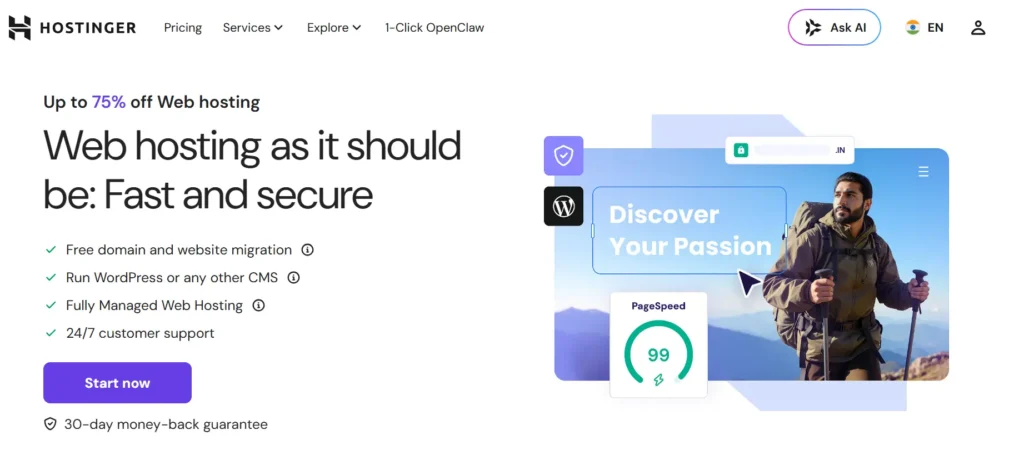
Hostinger has become popular because it solves a common problem.
People want cheap hosting, but they do not want slow hosting.
Most budget hosts are cheap because they cut performance. Hostinger is different. It still uses low pricing to attract beginners, but it also gives you a better technical base than many old school shared hosts.
The biggest reason I like Hostinger is the balance.
You get:
- A clean custom dashboard called hPanel
- WordPress installer
- Free SSL
- Free domain on selected annual plans
- Free migration
- LiteSpeed based WordPress performance
- Email on many plans
- Weekly or daily backups depending on plan
- Affordable upgrades to cloud and VPS hosting
For a beginner, this matters. You do not want to spend three days learning cPanel just to install WordPress. You want to buy hosting, connect your domain, install WordPress, and start publishing.
Hostinger makes that process easier.
Why Hostinger Is Popular
Hostinger is popular for three reasons.
1. The pricing feels realistic for beginners
If you are starting a blog, coupon site, affiliate website, portfolio, or local business site, you may not want to spend ₹1,000 to ₹2,000 per month on hosting.
Hostinger lets you start much lower.
Yes, the cheapest price usually requires a longer billing term. That is normal in hosting. But even after looking at renewal costs, Hostinger often stays cheaper than many bigger competitors.
2. hPanel is easier than cPanel for new users
cPanel is powerful, but it can look messy to beginners.
Hostinger’s hPanel feels cleaner. You can find WordPress, email, domains, backups, files, SSL, and performance tools without feeling lost.
For developers, hPanel may feel less traditional than cPanel. But for beginners, it is usually better.
3. WordPress speed is strong for the price
This is where Hostinger beats many budget hosts.
LiteSpeed servers and LiteSpeed Cache work well with WordPress. If you use a lightweight theme, optimized images, and basic caching, Hostinger can deliver very good speed for a low price.
This is why many Hostinger review articles praise it for value.
Hostinger Pros
- Very good value for beginners
- Strong WordPress speed for the price
- LiteSpeed caching is a real advantage
- Clean dashboard
- Free website migration
- Free SSL
- Free domain on eligible annual plans
- Good choice for niche blogs and affiliate sites
- Cloud hosting upgrade path is available
Hostinger Cons
- Cheapest price usually needs a long term plan
- Renewal price is higher than the first term
- No traditional cPanel on most plans
- Phone support is not the main support option
- Entry level plan has limited storage and resources
- Heavy WooCommerce stores may need Business, Cloud, or VPS
Who Should Buy Hostinger?
Buy Hostinger if you are building:
- A niche blog
- Affiliate website
- WordPress content site
- Portfolio
- Small business website
- Starter ecommerce site
- Low budget SEO project
- Test website or side project
If you care about hosting performance more than brand name, Hostinger is the better pick.
Hostinger vs GoDaddy: GoDaddy Deep Dive
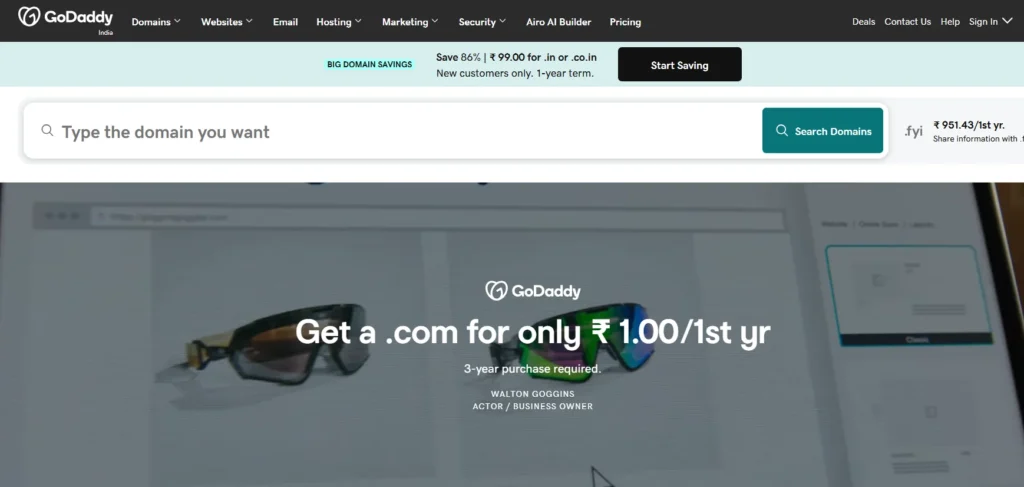
GoDaddy is one of the biggest names in domains and hosting.
Many people buy hosting from GoDaddy because they already bought a domain there. That is the real strength of GoDaddy. It is not just hosting. It is domains, email, SSL, website builder, marketing tools, business phone services, and more.
This makes GoDaddy convenient.
But convenience is not always the same as best value.
GoDaddy hosting works fine for basic websites. The dashboard is familiar. cPanel access is available on many web hosting plans. Daily backups are included. NVMe storage is now part of the offering. You also get phone support, which many beginners still prefer.
But when I compare GoDaddy against Hostinger for WordPress speed, pricing clarity, and included features, GoDaddy feels more expensive over time.
GoDaddy’s Unique Selling Point
GoDaddy is best when you want everything under one roof.
You can buy:
- Domain
- Hosting
- SSL
- Website builder
- WordPress hosting
- Security tools
- Marketing services
For a local business owner who does not want to manage multiple accounts, that is useful.
A plumber, lawyer, restaurant owner, or consultant may not care whether LiteSpeed is faster than Apache. They may only want a domain, email, hosting, and phone support.
That is where GoDaddy still has a place.
GoDaddy Pros
- Very easy to buy domain and hosting together
- cPanel is available
- Daily backups on web hosting plans
- Phone support is available in many regions
- Good for simple business websites
- NVMe storage on current plans
- Large brand with many add on services
- Good if you already manage domains at GoDaddy
GoDaddy Cons
- Renewal pricing can become expensive
- Upsells can get annoying
- Basic plans may feel limited
- SSL terms can vary by plan
- Performance is not as strong as Hostinger for WordPress value
- Security tools can cost extra depending on setup
- Not my first choice for SEO heavy affiliate sites
Who Should Buy GoDaddy?
Buy GoDaddy if you want:
- Domain and hosting in one place
- cPanel hosting
- Phone support
- Simple business hosting
- A familiar brand
- Basic WordPress hosting without much technical work
GoDaddy is not terrible. But if your goal is speed and value, Hostinger is stronger.
Hostinger vs GoDaddy Performance: Speed, Uptime, and Server Tech
This is the most important part of the Hostinger vs GoDaddy comparison.
Cheap hosting is useless if your site feels slow.
Speed and TTFB
TTFB means Time To First Byte. In simple words, it measures how quickly the server starts responding when someone visits your site.
For WordPress sites, Hostinger usually has the edge.
The reason is simple. Hostinger leans heavily on LiteSpeed infrastructure and LiteSpeed Cache. That combination is great for WordPress because caching happens close to the server level.
GoDaddy’s shared hosting is more traditional. cPanel hosting is familiar, but the basic stack does not feel as WordPress focused as Hostinger.
In a practical Hostinger vs GoDaddy speed test, I would expect:
- Hostinger to respond faster on a clean WordPress site
- Hostinger to handle caching better out of the box
- GoDaddy to perform fine for small static sites
- GoDaddy to need more tuning for WordPress performance
If you install a heavy theme, 25 plugins, sliders, page builders, tracking scripts, and uncompressed images, both hosts will slow down.
But with the same clean WordPress setup, Hostinger is usually easier to make fast.
Uptime
Both companies advertise a 99.9% uptime guarantee.
That sounds good, but do not overthink the marketing line. Most decent hosts now claim 99.9%.
The real question is how stable the hosting feels during normal use.
For small blogs and business sites, both are acceptable. I would not call GoDaddy unreliable. But Hostinger gives a better speed to price ratio, which matters more for SEO sites and affiliate content projects.
Server Technology: LiteSpeed vs Apache
This is where Hostinger wins for WordPress.
LiteSpeed works very well with LiteSpeed Cache. It can improve page caching, image optimization, CSS and JS optimization, and overall WordPress speed.
GoDaddy’s cPanel hosting is easier for users who already know cPanel. But cPanel does not automatically mean better speed. It only means the control panel is familiar.
Performance winner: Hostinger
Hostinger vs GoDaddy User Interface: hPanel vs cPanel
The dashboard can make or break the beginner experience.
Hostinger hPanel
Hostinger uses hPanel. It is custom built and much cleaner than traditional cPanel.
You can easily manage:
- WordPress
- Domains
- SSL
- Backups
- File manager
- Databases
- Website migration
- Performance tools
For beginners, hPanel is better because it removes clutter.
For developers, it may feel less flexible than cPanel at first. But for most WordPress users, it works well.
GoDaddy Dashboard and cPanel
GoDaddy gives you its main account dashboard and cPanel access on many hosting plans.
cPanel is useful if you already know it.
You can manage:
- Files
- Databases
- FTP
- PHP settings
- WordPress installs
- Subdomains
The downside is that GoDaddy’s account area can feel crowded because it includes domains, renewals, email, SSL, marketing products, and add ons.
That can confuse new users.
Ease of use winner: Hostinger for beginners, GoDaddy for users who prefer cPanel
Hostinger vs GoDaddy Pricing and Renewal Hikes
This is where you need to be careful.
Both companies use promotional pricing.
That means the price you see today is not always the price you pay later.
Hostinger Pricing
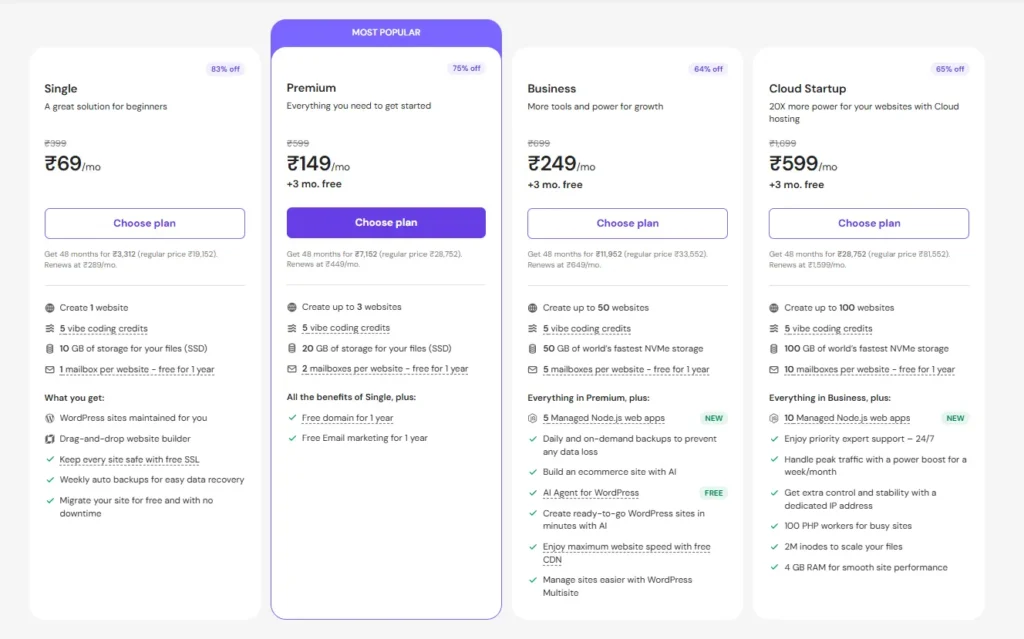
Hostinger is usually cheaper when you choose a long term plan.
The cheapest plan is good for very basic sites. But I would not choose the absolute lowest plan for a serious project.
For most users, I would pick:
- Premium Web Hosting for a beginner blog
- Business Web Hosting for better resources and backups
- Cloud Startup if you expect more traffic
The trap is simple. You see a low monthly price, but that price usually depends on a long billing cycle. Renewal is higher.
Still, Hostinger’s renewal pricing is often easier to accept because the performance and features are strong for the cost.
GoDaddy Pricing
GoDaddy also uses low first term pricing.
The Starter plan looks cheap, but many users will need Economy or Deluxe because of domain, email, SSL, website count, and storage needs.
The real cost can rise when you add:
- Email renewals
- Domain renewals
- SSL needs
- Security tools
- Malware scanning
- Website backup or advanced protection
- Higher hosting tier
GoDaddy can be affordable at checkout, but it can feel more expensive once everything renews.
Pricing winner: Hostinger
Hostinger vs GoDaddy Customer Support
Support is not only about speed. It is about whether the person can actually fix the issue.
Hostinger Support
Hostinger mainly pushes live chat and help center support.
For most WordPress problems, that is enough. Their support team is used to helping beginners with SSL, WordPress installs, migrations, DNS, email, and basic site issues.
The weakness is that users who want phone support may not like Hostinger.
GoDaddy Support
GoDaddy has an advantage with phone support.
Some beginners prefer speaking to a real person. This matters for small business owners who panic when a site goes down.
But phone support quality can vary. Sometimes you get a good agent. Sometimes the answer feels more sales focused than technical.
For deep WordPress performance issues, I would rather use Hostinger or a managed WordPress host.
Support winner: GoDaddy for phone support, Hostinger for hosting focused help
Security and Backups: What Is Free and What Is Paid?
Security is where buyers often get confused.
Hostinger Security
Hostinger includes free SSL, backups depending on plan, malware tools on managed WordPress plans, DDoS protection, and account level security features.
The Business plan is better if you want stronger backup protection. I would not run a serious site without reliable backups.
GoDaddy Security
GoDaddy includes daily backups on many web hosting plans, and SSL is included, though exact SSL limits depend on plan. Malware scanning and advanced security can involve paid Website Security products or higher tier plans.
GoDaddy is not insecure. But it has more add ons, so you need to check what is included before buying.
Security value winner: Hostinger
Migration Experience
Moving a site should not feel scary.
Hostinger Migration
Hostinger offers free automatic website migration. This is one of its best beginner features.
If you already have a WordPress site somewhere else, you can request migration and let Hostinger handle the move.
For bloggers and affiliate marketers, this saves time.
GoDaddy Migration
GoDaddy also offers migration tools and allows users to move existing sites to its hosting. The process is fairly simple, especially for basic WordPress websites.
But I still find Hostinger’s migration experience cleaner for WordPress users.
Migration winner: Hostinger
Which One Is Better for Beginners?
Hostinger is better for most beginners.
Here is why:
- hPanel is cleaner
- WordPress setup is easier
- Free SSL is simple
- Performance tools are built in
- Pricing is more attractive
- Migration is beginner friendly
GoDaddy is still beginner friendly, but it has more upsells and more products inside the dashboard. That can distract new users.
If you are starting your first blog, I would choose Hostinger Premium or Business.
Which One Is Better for Business and Ecommerce?
For a small business website, both can work.
For ecommerce, I would be more careful.
WooCommerce needs more resources than a normal blog. Product pages, carts, checkout, payment plugins, image galleries, and user sessions all add load.
For a small WooCommerce store, Hostinger Business can work. For a growing store, move to Hostinger Cloud or a managed WooCommerce provider.
GoDaddy can work for small business sites, especially if you want domain, email, and phone support together. But for WooCommerce speed and value, Hostinger is my pick.
Business winner: Hostinger for performance, GoDaddy for all in one convenience.
Real World Scenario: Starting a Niche Blog With a $50 Budget
If I were starting a niche blog today with a $50 budget, I would choose Hostinger.
Here is exactly what I would do:
- Buy Hostinger Premium or Business if the deal fits the budget.
- Get the free domain if available.
- Install WordPress.
- Use a lightweight theme like GeneratePress, Kadence, or Astra.
- Install only essential plugins.
- Enable caching.
- Compress images before uploading.
- Publish 30 to 50 useful articles before worrying about fancy design.
I would not buy extra security add ons on day one unless the site needed them. I would not spend money on premium page builders. I would keep the site fast and simple.
That is why Hostinger is one of the best affordable hosting 2026 options for niche site owners.
Also, we track the latest deals for both providers; check our coupon section before you buy.
Final Verdict: Hostinger vs GoDaddy Winner for 2026
The winner of Hostinger vs GoDaddy in 2026 is Hostinger.
It gives better value, cleaner WordPress performance, easier setup, and stronger hosting features for the price. It is the better choice for bloggers, affiliate marketers, small businesses, freelancers, and beginners who want fast hosting without spending too much.
GoDaddy is still useful if you want phone support, cPanel, domain management, email, and hosting inside one account. It is convenient. It is familiar. It works for simple business websites.
But if I am choosing hosting based on speed, price, WordPress experience, and long term value, I would pick Hostinger.
Final recommendation:
- Choose Hostinger if you want the best affordable hosting 2026 option for WordPress, blogs, and small business websites.
- Choose GoDaddy if you want domain, hosting, email, phone support, and business tools in one place.
- Choose neither entry level plan for serious ecommerce. Start higher or use cloud hosting.
For most readers, Hostinger is the smarter buy.
FAQs About Hostinger vs GoDaddy
1. Does Hostinger offer a free domain?
Yes, Hostinger offers a free domain on selected annual plans. Always check the plan details before checkout because free domain eligibility can depend on billing term and plan type.
2. Is GoDaddy good for WordPress?
GoDaddy is okay for basic WordPress websites. It is beginner friendly and supports cPanel. But for speed focused WordPress hosting, Hostinger usually offers better value.
3. Which is faster, Hostinger or GoDaddy?
Hostinger is usually faster for WordPress because of LiteSpeed server technology and caching. GoDaddy can still run small sites well, but Hostinger has the better performance setup for the price.
4. Which is cheaper after renewal?
Hostinger is usually the better value after renewal, but both companies increase prices after the first term. Always compare the renewal price, not only the discounted checkout price.
5. Is Hostinger good for ecommerce?
Hostinger can handle small WooCommerce stores, especially on Business or Cloud plans. I would avoid the lowest plan for ecommerce because online stores need more resources.
6. Is GoDaddy better for domains?
Yes, GoDaddy is still one of the easiest platforms for domain buying and management. If your main need is domains plus basic hosting, GoDaddy is convenient.
7. Which one should I choose in 2026?
Choose Hostinger if you want better hosting value and WordPress speed. Choose GoDaddy if you want a familiar brand, cPanel, phone support, and all business tools in one account.