
Choosing the right web hosting company can save you money, time, and a lot of future stress. A cheap host may look attractive at first, but if the speed is poor, support is slow, or renewal pricing is unclear, your website can become harder to manage later.
That is where Hostinger gets a lot of attention. It is known for low starting prices, beginner friendly tools, managed WordPress features, free website migration, free SSL, cloud hosting options, VPS hosting, and a clean dashboard that does not feel too technical.
Hostinger is popular among bloggers, small business owners, affiliate marketers, freelancers, ecommerce beginners, and users who want to create websites without hiring a developer.
The pricing is one of its biggest selling points, especially if you are comfortable choosing a longer billing term.
Still, Hostinger is not perfect for every type of website. Renewal prices are higher than promotional prices, the cheapest shared hosting options are not built for heavy traffic, and users who want phone support or cPanel may prefer another host.
In this Hostinger review, we will look at pricing, features, performance, WordPress tools, cloud hosting, VPS plans, pros and cons, and how Hostinger compares with Bluehost, SiteGround, DreamHost, and GoDaddy.
Hostinger Quick Review
Hostinger is a strong choice if you want affordable hosting with modern features. It gives you the tools needed to start a website, manage WordPress, build a business site, create a blog, launch a portfolio, or run a small online store.
The best plan for most users is the Business plan. It costs more than Premium, but it gives better storage, more websites, daily backups, on demand backups, free CDN, ecommerce tools, and stronger WordPress features.
Premium is good for simple starter websites. Cloud Startup is better for higher traffic websites, growing blogs, online stores, and users managing many projects.
What Is Hostinger?
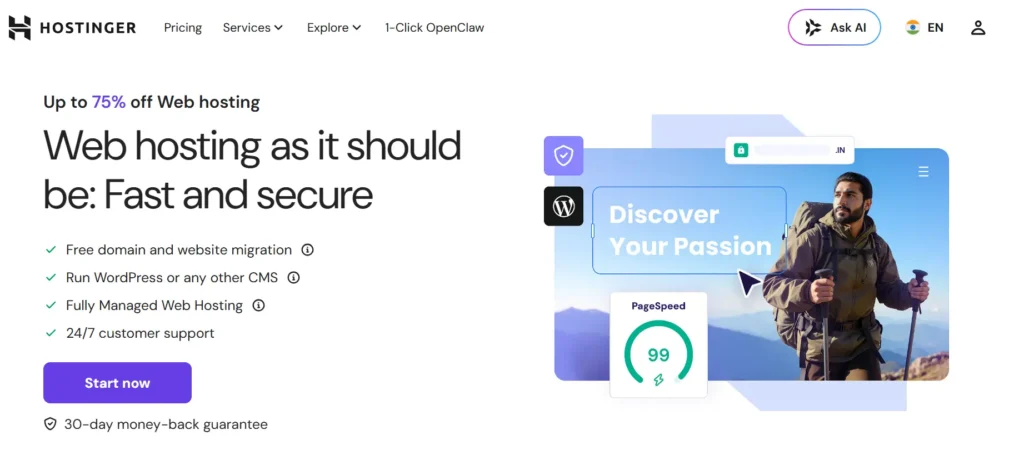
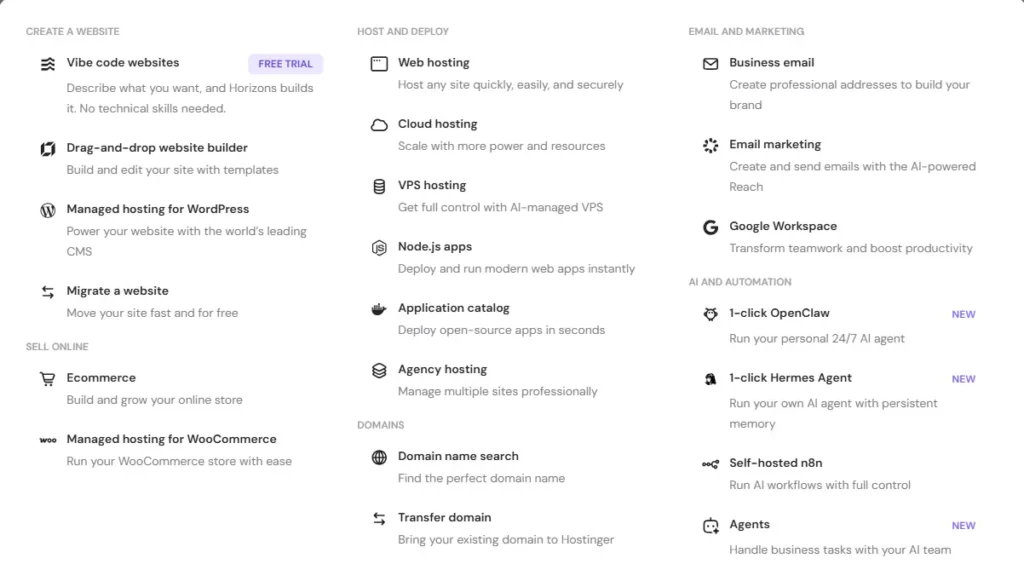
Hostinger is a web hosting company that offers website hosting, managed WordPress hosting, cloud hosting, VPS hosting, ecommerce hosting, website builder tools, business email, domains, and website migration.
Unlike many old hosting companies that use cPanel, Hostinger uses its own dashboard called hPanel. It is clean, easy to use, and made for users who want to manage everything from one place.
With hPanel, you can install WordPress, manage websites, add domains, set up email, check backups, handle SSL, access files, manage databases, and request website migration. This makes Hostinger easier for beginners compared with many traditional hosting platforms.
Hostinger Pricing 2026
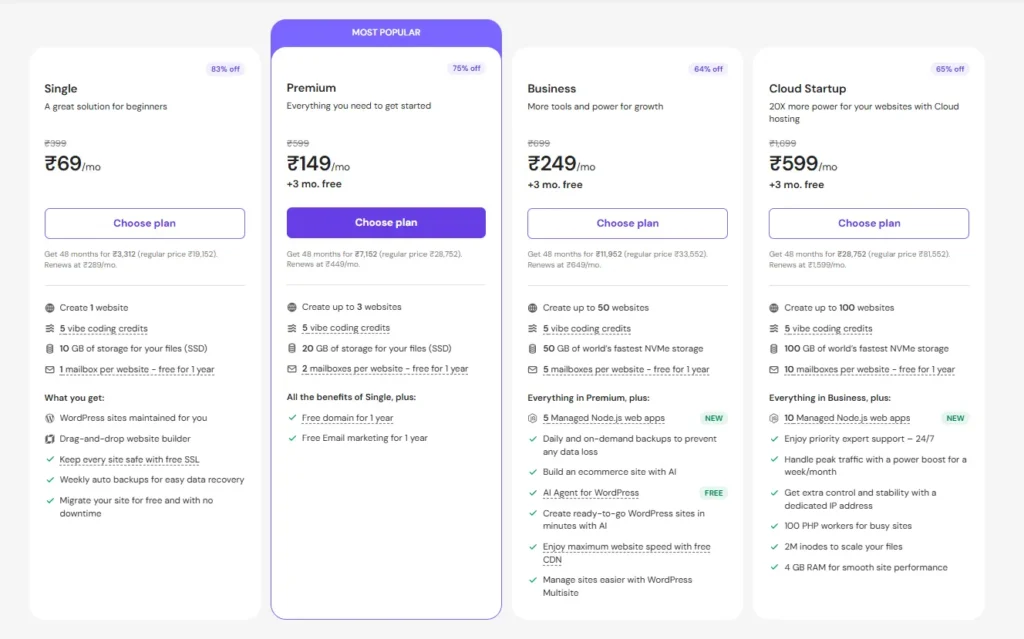
Hostinger pricing depends on the plan and billing length. The lowest monthly price usually comes with a 48 month term. That means you pay upfront for the full term, but the average monthly cost becomes much lower.
Here is the current Hostinger US pricing for the main web hosting plans.
The important thing to understand is that these are promotional prices. Hostinger gives strong discounts for the first term, but renewals are higher. That is normal in web hosting, but you should always check the total checkout amount before buying.
Hostinger Cloud Hosting Pricing
Hostinger cloud hosting is made for users who need more power than standard web hosting but do not want to manage a server manually. It is a good middle option between shared hosting and VPS hosting.
Cloud hosting is better if your website already gets traffic or if you manage multiple websites. It also gives you more resources and better stability than entry level hosting.
Hostinger VPS Pricing
VPS hosting is different from normal web hosting. It gives you more control, dedicated resources, root access, and server flexibility. It is better for developers, custom applications, automation setups, game servers, and users who understand server management.
For most beginners, VPS is not needed. If you are starting a WordPress blog, business website, or portfolio, Premium, Business, or Cloud Startup will be much easier to manage.
Hostinger Main Features
1. Easy Dashboard With hPanel
Hostinger uses hPanel instead of cPanel. This is one of the biggest reasons beginners like it.
The dashboard is simple and organized. You can manage websites, domains, email accounts, backups, SSL, WordPress, databases, and files without feeling lost.
For a new website owner, this matters a lot. Many hosting dashboards look outdated or confusing. Hostinger keeps the experience clean, which helps users launch faster.
2. Managed WordPress Hosting
Hostinger is a good option for WordPress users. You can install WordPress quickly, manage updates, use WordPress tools, and keep your site secure with basic built in features.
The Business plan is especially useful for WordPress websites because it includes daily backups, on demand backups, CDN, ecommerce building tools, and better storage.
If you plan to run an affiliate blog, business website, review site, local service website, or content based website, Business gives better long term value than Premium.
3. Free Website Migration
Moving a website from one host to another can be stressful. You have to think about files, databases, plugins, domains, DNS, emails, and downtime.
Hostinger offers free website migration. This is helpful if you already have a live website and want to move it without paying a developer.
For bloggers and small businesses, this is a strong advantage. It removes one of the biggest reasons people avoid switching hosts.
4. Website Builder and AI Tools
Hostinger also includes a website builder for users who do not want to build with WordPress. You can create a business website, landing page, portfolio, or simple online store with drag and drop tools.
The AI website tools can also help with faster setup. They are useful for creating a quick website structure, starter content, and simple design ideas.
These tools are not a replacement for strong branding, SEO, or good copywriting, but they make the starting process much easier.
5. Backups and Security
Every website needs backups. Even a small plugin update or accidental edit can break a site.
Hostinger includes weekly backups on Premium. Business and Cloud Startup are better because they include daily and on demand backups.
Security features include SSL, malware related protections, and server level tools depending on the plan. For serious websites, daily backups alone make the Business plan worth considering.
6. Website Speed and Performance
Hostinger performs well for its price range. The Business and Cloud plans are better than the basic plan because they include stronger storage, more resources, and CDN support.
Premium is enough for a small personal blog or simple business website. Business is better for SEO websites, content sites, and growing WordPress projects. Cloud Startup is the better choice when your website starts getting steady traffic.
If your site depends on search traffic, ads, affiliate sales, or leads, you should avoid going too cheap. A slow website can hurt user experience and conversions.
7. Email Hosting
Hostinger includes email mailboxes for the first year depending on your plan. Premium includes 2 mailboxes per website for the first year. Business includes 5 mailboxes per website for the first year. Cloud Startup includes 10 mailboxes per website for the first year.
After the first year, email may renew separately, so you should check the checkout page before purchasing.
8. Ecommerce Support
Hostinger can be used for ecommerce websites. The Business plan includes ecommerce building tools and works well for small WooCommerce stores.
For a small store with limited products, Business can be enough. For a bigger store with more traffic, more plugins, or paid ad campaigns, Cloud Startup is safer.
If your online store is already making regular sales, cloud hosting is usually the better choice because it gives more stability.
Hostinger Pros and Cons
Pros
✓ Affordable starting prices
✓ Easy to use hPanel dashboard
✓ Free SSL included
✓ Free website migration
✓ Managed WordPress tools
✓ Website builder included
✓ Business plan includes daily and on demand backups
✓ CDN included on Business and Cloud Startup
✓ Cloud and VPS upgrade options available
✓ Good value for bloggers, small businesses, and affiliate websites
Cons
✕ Renewal prices are much higher than first term prices
✕ Lowest pricing requires a long billing term
✕ No traditional cPanel
✕ Phone support is not the main support option
✕ Premium plan is limited compared with Business
✕ VPS hosting is better for technical users, not beginners
Best Hostinger Plan for Most Users
The best Hostinger plan for most users is Business.
It starts at $3.99 per month on the 48 month term and includes up to 50 websites, 50 GB NVMe storage, 5 mailboxes per website for the first year, daily backups, on demand backups, free CDN, ecommerce tools, and better WordPress features.
Premium is cheaper, but Business gives much better value for anyone building a serious website.
Choose Premium if you are starting a small site and want to keep costs low. Choose Business if you want the best value. Choose Cloud Startup if your website already gets traffic or you plan to manage many websites.
Hostinger Compared With Similar Hosting Providers
Hostinger is one of the best value choices in this group. Bluehost is good for users who want a well known WordPress hosting brand. SiteGround is better for users who want premium support and stronger WordPress tools. DreamHost is good for simple hosting with daily backups. GoDaddy is useful if you already manage domains there.
Hostinger vs Bluehost
Hostinger is usually better if you want lower pricing, simple hosting management, and strong value. Its Business plan is affordable and gives a good feature set for WordPress users.
Bluehost is also beginner friendly and has strong WordPress positioning. It includes phone support on higher plans and can be a good option for users who want a larger traditional hosting brand.
Choose Hostinger for better value. Choose Bluehost if phone support and the Bluehost WordPress setup appeal to you.
Hostinger vs SiteGround
SiteGround is a premium shared hosting provider with strong support, daily backups, security tools, and WordPress performance features.
Hostinger is cheaper and easier for budget focused users. It gives many useful features at a lower entry price.
Choose Hostinger if price matters. Choose SiteGround if you are willing to pay more for support and advanced WordPress features.
Hostinger vs DreamHost
DreamHost is reliable and simple. It has clear pricing, daily backups, and a long reputation in hosting.
Hostinger feels more modern because of hPanel, website builder tools, AI site features, cloud upgrades, and lower promotional pricing.
Choose Hostinger if you want a modern dashboard and more value. Choose DreamHost if you prefer simple hosting with daily backups and clear renewal terms.
Hostinger vs GoDaddy
GoDaddy is widely known for domains. It is convenient if you want to manage domains, email, and hosting in one account.
Hostinger is better as a hosting focused option. It gives stronger value, cleaner management, and better tools for WordPress users.
Choose Hostinger for hosting value. Choose GoDaddy if domain management convenience matters more to you.
Who Should Use Hostinger?
Hostinger is a good fit for:
✓ Bloggers
✓ Affiliate marketers
✓ Small business owners
✓ Local service websites
✓ Portfolio websites
✓ Freelancers
✓ WordPress beginners
✓ Small ecommerce stores
✓ SEO websites
✓ Agencies managing smaller client sites
It is especially useful if you want low starting costs but still need good tools, SSL, migration, backups, and easy WordPress management.
Who Should Avoid Hostinger?
Hostinger may not be the best fit for:
✕ Large enterprise websites
✕ Users who need phone support first
If your site is already receiving heavy traffic or generating serious revenue, Cloud Startup or a higher cloud plan will be safer than basic web hosting.
Is Hostinger Good for SEO Websites?
Yes, Hostinger is a good choice for SEO websites, especially if you choose Business or Cloud Startup.
Hosting is not the only ranking factor, but it affects speed, uptime, security, and user experience. A slow website can reduce engagement and conversions.
For SEO blogs, affiliate websites, content sites, and review websites, Business is the best starting point. It gives daily backups, CDN, better storage, and enough room to host multiple projects.
Is Hostinger Good for Ecommerce?
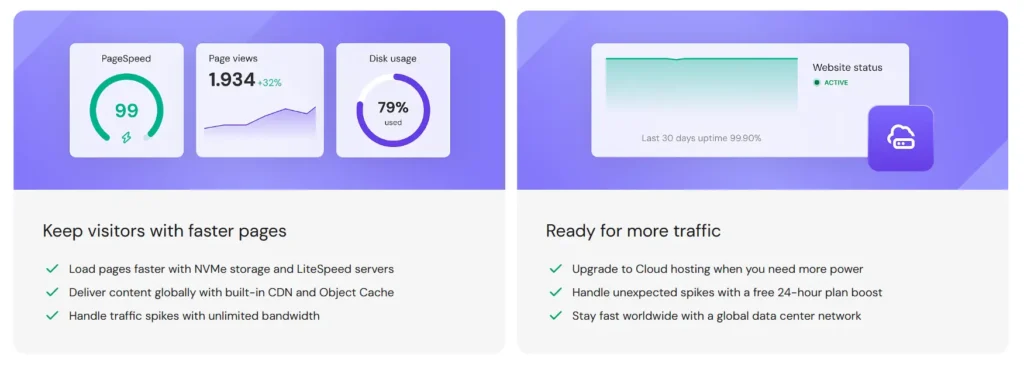
Hostinger can work well for small ecommerce websites. The Business plan supports ecommerce tools and WooCommerce based stores. It is a good starting option for small online shops.
For a larger ecommerce website, Cloud Startup is better. It gives more resources and better stability for stores with more products, plugins, and traffic.
Hostinger Refund Policy
Hostinger offers a 30 day money back guarantee on eligible hosting plans. This gives you time to test the dashboard, build your site, check the features, and decide if it is right for you.
Some products, domains, and add ons may have different refund rules, so always read the checkout terms before purchasing.
Final Verdict: Is Hostinger Worth It?
Hostinger is worth it for beginners, bloggers, affiliate marketers, small business owners, freelancers, and WordPress users who want affordable hosting with useful features.
The pricing is attractive, the dashboard is simple, and the feature set is strong for the money. You get SSL, migration, WordPress tools, backups, email options, website builder tools, and upgrade paths to cloud and VPS hosting.
Premium is good for basic sites. Business is the best value for most serious users. Cloud Startup is the better choice for higher traffic websites and growing projects.
The main downside is renewal pricing. Your first term can be very cheap, but renewals are higher. If you understand that before buying, Hostinger remains one of the best value hosting providers in 2026.
For most users who want to start a website without spending too much, Hostinger is a smart and practical choice.