
A slow website does not just annoy visitors. It quietly burns money.
People leave before the page loads. Google sees weak engagement. Your ads cost more because fewer clicks turn into leads. And when a sale or booking page goes down during traffic spikes, the damage is even worse.
That is where cloud hosting comes in.
But here is the problem. Most hosting companies make cloud hosting sound more magical than it really is. They talk about “infinite scalability” and “enterprise-grade infrastructure,” but beginners still end up confused about CPU cores, RAM, storage, caching, control panels, and data centers.
This guide keeps things simple.
If you want the best cloud hosting providers for WordPress, business websites, WooCommerce stores, blogs, or growing traffic sites, the right choice depends on one thing: how much server control you actually need.
To be honest, most beginners don’t need unmanaged AWS, Google Cloud, or raw VPS hosting. They need cloud-level performance without becoming a part-time server admin.
What Is Cloud Hosting, and When Does It Actually Help?
Cloud hosting means your website runs on virtual server resources instead of one fixed physical server.
In normal shared hosting, many websites sit on the same server and fight for CPU, RAM, and storage speed. If another site on that server gets a traffic spike, your site can slow down too. That is called the “noisy neighbor” problem.
Cloud hosting gives you better isolation and easier scaling.
That does not mean every cloud host is fast. Bad cloud hosting still exists. A poorly configured cloud server with weak caching can feel slower than a good shared hosting plan.
Cloud hosting makes sense if:
- Your site gets regular traffic
- You run WordPress with many plugins
- You have a WooCommerce store
- You depend on paid ads or SEO traffic
- You want better uptime and speed
- You expect traffic spikes during campaigns
I’ve seen many people make this mistake: they buy the cheapest shared plan, install 35 plugins, run ads, then blame WordPress when the site becomes slow.
Usually, WordPress is not the main problem. Weak hosting is.
Which Cloud Hosting Provider Should You Choose First in 2026?
For most growing websites, my Top Pick for 2026 is Cloudways.
Why? Because it gives you the performance of cloud infrastructure without forcing you to manage the server manually. You can choose infrastructure like DigitalOcean, Vultr, AWS, or Google Cloud, but Cloudways handles the server stack, backups, security patches, caching, and dashboard.
That is the sweet spot for most website owners.
Also, a discount link or coupon is available on our site, so check that before signing up. Choosing the right host can save hundreds of dollars in the long run, especially when you avoid bad renewals, emergency migrations, and lost conversions from slow pages.
Still, Cloudways is not perfect for everyone.
If you are a beginner on a tight budget, Hostinger Cloud may be easier. If you want premium managed WordPress hosting, Kinsta is cleaner. If you are technical and want raw control, DigitalOcean or Vultr can be better.
What Technical Specs Actually Matter Before You Buy?
Most hosting comparison pages throw specs at you without explaining them. Let’s fix that.
NVMe SSD vs Standard SSD
Storage affects how fast your server reads and writes files.
A standard SSD is already much faster than an old hard drive. But NVMe SSD is faster again because it uses a newer connection path to move data between storage and the server.
Why does this matter?
WordPress constantly reads files, loads database entries, stores cache, and serves images. WooCommerce also writes order data, customer sessions, cart actions, and product queries.
NVMe helps most when your site has:
- Heavy WordPress plugins
- WooCommerce products
- Large databases
- High traffic
- Frequent admin activity
Do not buy hosting only because it says “NVMe.” A bad server stack can still waste good hardware. But all else equal, NVMe is better than standard SSD.
LiteSpeed vs Nginx vs Apache
The web server handles visitor requests.
Apache is old, reliable, and widely supported. Many basic hosting plans still use it. It works, but it can become heavy under traffic if not tuned well.
Nginx is lighter and strong at serving static files. It is common on performance-focused setups.
LiteSpeed is popular for WordPress because it works very well with LiteSpeed Cache. For many beginner WordPress sites, LiteSpeed plus proper caching can deliver strong speed without complex setup.
Here is a secret most hosting companies won’t tell you: the web server alone does not make your site fast.
Caching, PHP workers, database tuning, CDN setup, image optimization, and plugin quality matter too. A good LiteSpeed setup can beat a poor Nginx setup. A tuned Nginx stack can beat a bloated LiteSpeed server.
RAM and CPU Cores
CPU cores handle processing. RAM holds active data so the server does not need to constantly fetch everything from disk.
For a small brochure website, 2 CPU cores and 2 GB RAM can be enough.
For a serious WordPress site, I prefer at least:
- 2 to 4 CPU cores
- 4 GB RAM
- NVMe storage
- Server-level caching
- Daily backups
- Room to scale
WooCommerce, LMS sites, membership sites, and busy blogs need more because pages are not always fully cacheable. Cart pages, checkout pages, dashboards, and logged-in pages use more server resources.
Data Centers and Latency
Latency is the time it takes data to travel from your server to the visitor.
If your audience is in India and your server is in the US, the site can feel slower, even if the server itself is powerful. A CDN helps, but the origin server location still matters for admin actions, checkout, logged-in users, and uncached pages.
Pick a host with data centers near your main audience.
For global audiences, use a CDN. For local businesses, choose a nearby region first.
Which Are the Best Cloud Hosting Providers in 2026?
1. Cloudways: Best Overall Cloud Hosting for Growing Websites
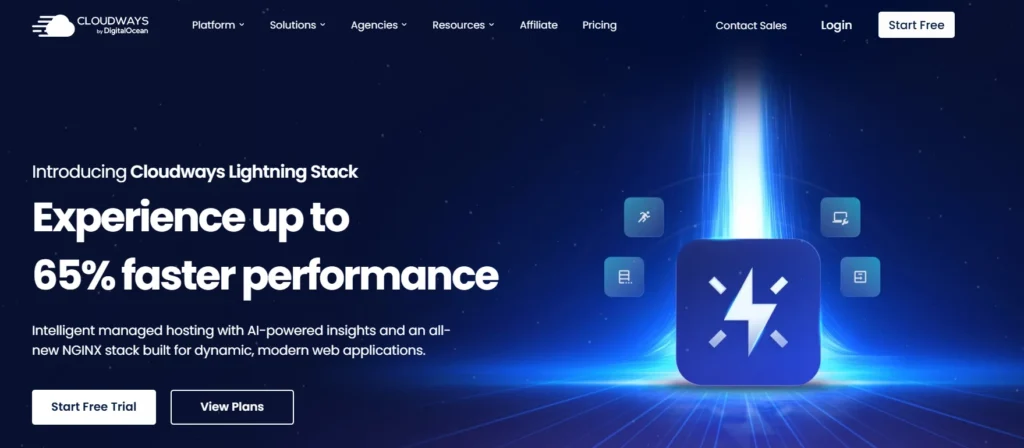
Cloudways is the best fit for people who want cloud performance without server headaches.
It sits between raw cloud platforms and traditional hosting. You pick the cloud provider, then Cloudways gives you a managed dashboard, server stack, backups, staging, SSL, caching, and support.
Why this made the list
Cloudways makes cloud hosting usable for non-technical site owners. You do not need to install Linux packages, configure firewalls manually, or tune PHP-FPM from scratch.
Best for:
- WordPress blogs
- Agency websites
- WooCommerce stores
- Affiliate sites
- Growing businesses
- Users moving away from shared hosting
Key features:
- Managed cloud dashboard
- Choice of cloud infrastructure
- Server-level caching
- Staging sites
- Free SSL
- Vertical scaling
- Automated backups
Watch out for:
Cloudways is not the cheapest option. Email hosting is not usually included like traditional shared hosting. You may need a separate email service.
My take: if your website makes money, Cloudways is often worth the extra cost. A slow host can cost more through lost sales than the monthly hosting bill.
2. Hostinger : Best Budget Cloud Hosting for Beginners
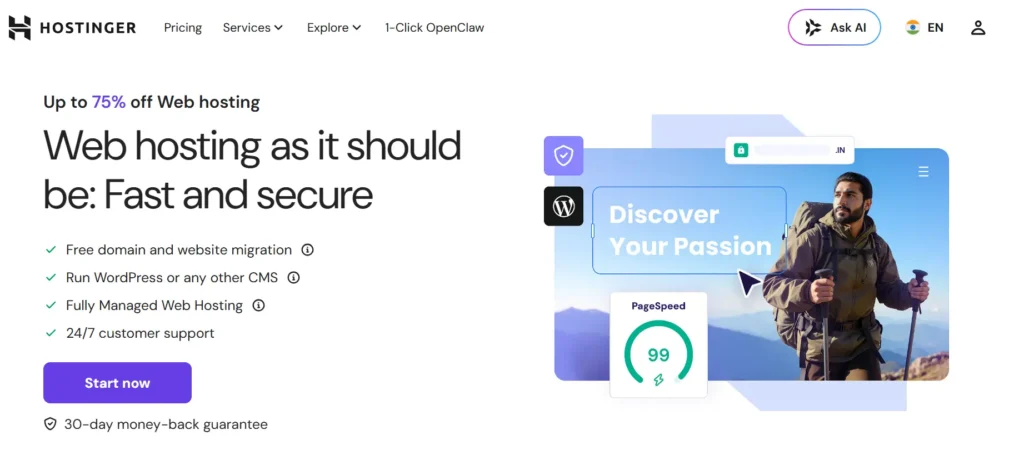
Hostinger is a good choice if you want something simple, affordable, and beginner-friendly.
The dashboard is easier than most traditional control panels. You get cloud resources without dealing with raw VPS management. For small businesses and beginner WordPress users, that matters.
Why this made the list
Hostinger gives beginners a smoother path from basic hosting to stronger cloud resources. You get more power than shared hosting, but the learning curve stays low.
Best for:
- Beginners
- Small business sites
- Personal brands
- Simple WooCommerce stores
- Budget-conscious users
Key features:
- Managed cloud plans
- NVMe storage on cloud plans
- Easy dashboard
- Free SSL
- Website migration
- WordPress tools
- Email options on many plans
Watch out for:
Promotional prices can look very attractive, but always check the renewal price. Also, very heavy WooCommerce or membership sites may outgrow entry cloud plans.
My take: Hostinger Cloud is ideal when you want value and simplicity. It is not the most advanced cloud host, but it is one of the easiest for beginners.
3. SiteGround Cloud: Best Managed Cloud Hosting for Small Businesses

SiteGround Cloud is more expensive than entry-level hosts, but it is built for users who want managed support, reliability, and a polished dashboard.
It runs on Google Cloud infrastructure and includes managed services, caching tools, backups, CDN, and security features.
Why this made the list
SiteGround is strong for business owners who do not want to touch server management. The support and dashboard are beginner-friendly, and the cloud plans provide dedicated resources.
Best for:
- Small business websites
- Agencies managing client sites
- WordPress users who value support
- Sites moving from shared hosting
Key features:
- Fully managed cloud hosting
- Dedicated CPU and RAM
- Daily backups
- Free SSL
- CDN tools
- Caching system
- Scalable resources
Watch out for:
SiteGround Cloud is not cheap. If your site is small, you may not need this level of hosting yet.
My take: SiteGround Cloud is a good “safe” choice for business owners who want strong support and do not mind paying more.
4. ScalaHosting: Best Cloud VPS for Control Without cPanel Costs

ScalaHosting is a strong option if you want managed cloud VPS hosting with more control.
Its main advantage is SPanel, ScalaHosting’s own control panel. That matters because cPanel licensing can increase hosting costs. SPanel gives you many hosting management features without relying on traditional cPanel pricing.
Why this made the list
ScalaHosting is a practical middle ground between managed hosting and VPS control. You can get better resource isolation than shared hosting while still having a dashboard.
Best for:
- Developers
- Agencies
- Growing WordPress sites
- WooCommerce stores
- Users who dislike cPanel price increases
Key features:
- Managed cloud VPS options
- SPanel control panel
- Security tools
- Daily backups on many plans
- Root access options
- Scalable resources
- WordPress management tools
Watch out for:
The interface may feel less familiar if you are used to cPanel. Also, beginners should choose managed plans, not self-managed VPS, unless they know server administration.
My take: ScalaHosting is underrated for growing sites that need VPS power but do not want cPanel costs.
5. Kinsta: Best Premium Cloud Hosting for WordPress

Kinsta is not general cloud hosting in the same way as DigitalOcean or Vultr. It is premium managed WordPress hosting built on cloud infrastructure.
That is important.
You do not buy Kinsta because you want cheap server resources. You buy it because you want a high-performance WordPress environment, expert support, excellent caching, security, and a clean dashboard.
Why this made the list
Kinsta is strong for serious WordPress sites where speed, uptime, and support matter more than saving a few dollars.
Best for:
- High-traffic WordPress sites
- Publishers
- Agencies
- WooCommerce stores
- SaaS marketing sites
- Businesses that need premium support
Key features:
- Google Cloud-based infrastructure
- Cloudflare integration
- Edge caching
- Daily backups
- Staging environments
- Malware security support
- Performance monitoring tools
Watch out for:
Kinsta can get expensive as traffic grows. It also focuses heavily on WordPress, so it is not the best fit for every app or custom stack.
My take: Kinsta is for websites where downtime and slow speed are more expensive than hosting.
6. DigitalOcean: Best Cloud Hosting for Developers

DigitalOcean is a raw cloud infrastructure provider. Its Droplets are virtual machines you can use for websites, apps, databases, staging servers, and custom projects.
This is powerful, but it is not beginner hosting.
You are responsible for server setup, security, updates, backups, caching, and troubleshooting unless you use a managed layer or hire a developer.
Why this made the list
DigitalOcean is clean, predictable, and developer-friendly. It is a great option if you know what you are doing or if your developer manages the server.
Best for:
- Developers
- SaaS projects
- Custom apps
- Technical WordPress setups
- Agencies with server skills
Key features:
- Scalable virtual machines
- Multiple CPU and memory options
- Developer tools
- Managed databases
- Object storage
- Kubernetes options
- API access
Watch out for:
Do not choose DigitalOcean just because it looks cheap. Unmanaged servers become expensive when something breaks and you need emergency help.
My take: DigitalOcean is excellent, but only when you have technical skills or a server admin.
Save Money by Matching the Host to the Job
The wrong host wastes money in two ways.
First, you may overpay for features you do not need. A brand-new blog does not need an enterprise cloud server. To be honest, most beginners don’t need Kubernetes, load balancers, or multi-server architecture.
Second, you may underpay and lose more later. Cheap hosting can cause slow checkout pages, poor ad landing page performance, downtime, and emergency migration costs.
Use this simple rule:
- New beginner site: Hostinger Cloud
- Growing WordPress site: Cloudways
- Small business wanting managed support: SiteGround Cloud
- Cloud VPS with control: ScalaHosting
- Premium WordPress site: Kinsta
- Developer project: DigitalOcean
- Performance-focused technical setup: Vultr
The best cloud hosting provider is not always the fastest on paper. It is the one that matches your skill level, traffic, budget, and business risk.
Use This Expert Checklist Before You Pay
Before buying cloud hosting, check these points:
- Pick the data center closest to your audience
- Choose NVMe storage when available
- Start with at least 2 CPU cores and 4 GB RAM for serious WordPress sites
- Use server-level caching, not only plugin caching
- Check renewal pricing before checkout
- Confirm daily backups are included
- Make sure SSL is free
- Use a CDN for global traffic
- Avoid unmanaged cloud hosting if you are not technical
- Test support before moving important sites
Also, do not migrate during a busy sales campaign. Move the site, test forms, test checkout, check DNS, scan broken links, and monitor speed for a few days.
I’ve seen many people make this mistake. They move hosting at midnight, do not test email forms, and discover three days later that leads were not coming through.
FAQs About the Best Cloud Hosting Providers
1. What is the best cloud hosting provider for WordPress in 2026?
For most WordPress users, Cloudways is the best overall choice because it balances performance, control, and managed support. Kinsta is better for premium WordPress sites with higher budgets. Hostinger Cloud is better for beginners who want lower pricing.
2. Is cloud hosting better than shared hosting?
Yes, cloud hosting is usually better for speed, scalability, and resource isolation. Shared hosting is fine for small starter websites, but growing WordPress sites, WooCommerce stores, and business websites often perform better on cloud hosting.
3. How much RAM do I need for cloud hosting?
A basic site can run on 2 GB RAM, but serious WordPress sites should start with 4 GB RAM. WooCommerce, membership sites, LMS platforms, and high-traffic blogs may need 8 GB RAM or more.
4. Is NVMe hosting worth it?
Yes, NVMe storage is worth it if your site uses WordPress, WooCommerce, large databases, or heavy plugins. It improves storage read and write speed, which can help with database-heavy tasks and admin performance.
5. Should beginners use DigitalOcean or Vultr directly?
Most beginners should not use DigitalOcean or Vultr directly unless they have server management experience. These platforms are powerful, but you must handle security, updates, backups, and server configuration yourself.
6. Which cloud hosting is best for WooCommerce?
Cloudways, Kinsta, ScalaHosting, and SiteGround Cloud are strong choices for WooCommerce. The best option depends on your budget and traffic. For most growing stores, Cloudways offers the best balance.
7. Can cloud hosting improve Core Web Vitals?
Cloud hosting can improve Core Web Vitals if it reduces server response time and handles traffic better. But hosting alone is not enough. You still need image optimization, caching, clean themes, fewer heavy plugins, and a good CDN.
8. What is the safest cloud hosting choice for a business website?
For a business website, choose managed cloud hosting unless you have technical staff. Cloudways, SiteGround Cloud, Kinsta, and ScalaHosting are safer choices than unmanaged cloud servers because they reduce maintenance risk.