
Choosing between WP Engine and Kinsta is annoying because both look premium, both are built for WordPress, and both cost far more than cheap shared hosting. That makes the decision harder. You are not comparing a budget host against a serious host. You are comparing two serious managed WordPress platforms.
Quick Winner: For most site owners in 2026, I would pick Kinsta because it gives a cleaner dashboard, strong built-in performance tools, free migrations, and better value at the entry level. WP Engine is still excellent, especially for agencies and larger WordPress teams.
This WPEngine vs Kinsta comparison is not about finding the cheapest host. Neither of these is cheap. If you want the best affordable hosting 2026 option for a hobby blog, you should probably look at Hostinger, DreamHost, or SiteGround first.
But if you want premium managed WordPress hosting and you are stuck between these two, this guide will help you choose.
WPEngine vs Kinsta Quick Comparison Table
| Feature | WP Engine | Kinsta |
|---|---|---|
| Starting Price | From $30/month | From $35/month monthly or $30/month annually |
| Best For | Agencies, developers, business sites, WooCommerce stores | Bloggers, businesses, agencies, performance-focused WordPress users |
| Hosting Type | Managed WordPress hosting | Managed WordPress hosting |
| Server Technology | Managed cloud infrastructure, EverCache, Cloudflare CDN | Container-based infrastructure, Cloudflare CDN, edge caching |
| Dashboard | WP Engine custom dashboard | MyKinsta custom dashboard |
| Free Domain | No | No |
| Free SSL | Yes | Yes |
| Backups | Daily and on-demand backups | Daily backups and system backups |
| CDN | Available via Cloudflare-powered CDN | Included Kinsta CDN powered by Cloudflare |
| Migration | Automated migration plugin | Unlimited free expert migrations |
| Support | 24/7 chat, phone on higher plans | 24/7 expert chat support |
| Uptime | Strong, with higher SLA on selected plans | SLA-backed uptime up to 99.9 percent on standard plans |
| Best Value Pick | Good for teams that need WP Engine tools | Better for most single-site WordPress users |
WPEngine vs Kinsta: WP Engine Deep Dive
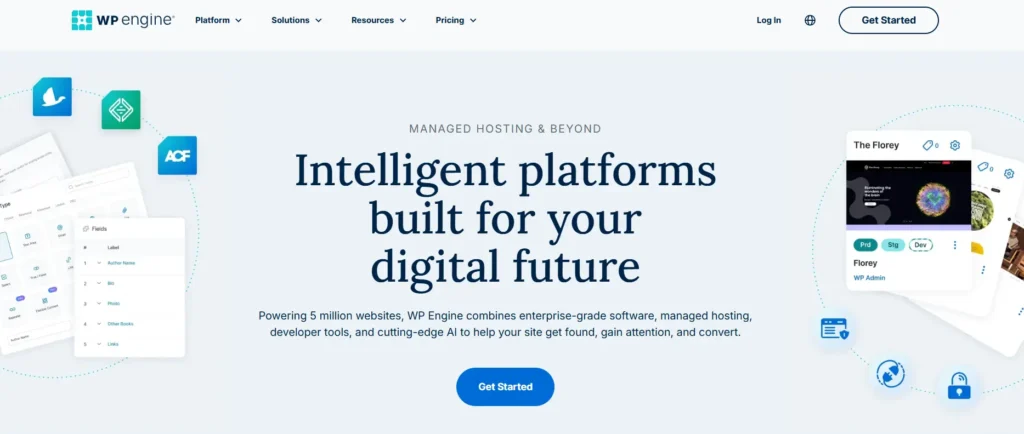
WP Engine is one of the biggest names in managed WordPress hosting. It is popular because it removes a lot of the messy server work that beginners hate and developers do not want to waste time on.
You get a custom dashboard, staging sites, backups, SSL, caching, security tools, WordPress-focused support, and developer-friendly workflows.
This is not cPanel hosting. You do not buy WP Engine because you want old-school shared hosting controls. You buy it because you want WordPress handled properly.
Key WP Engine Features
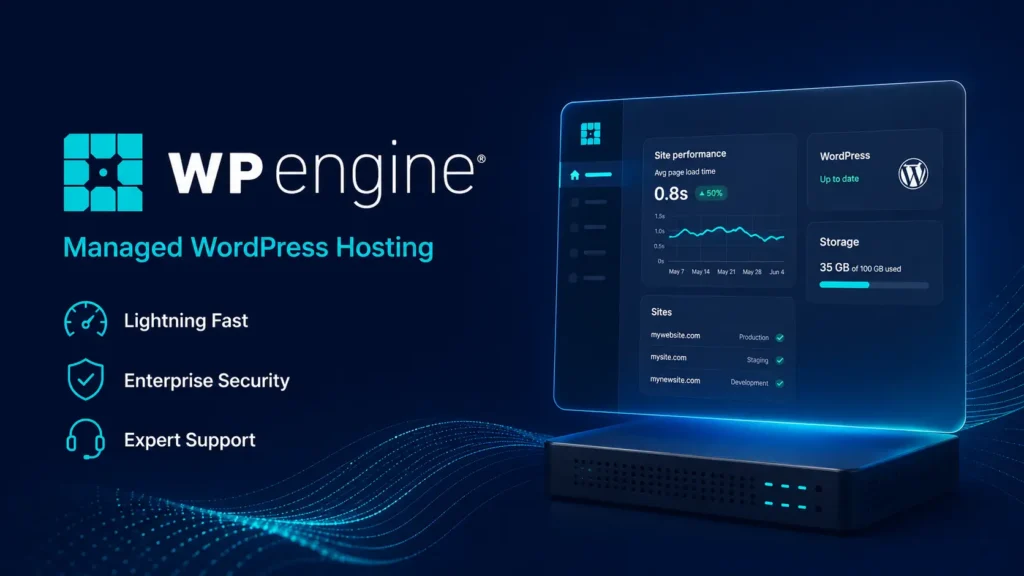
WP Engine includes:
- Managed WordPress hosting
- Daily and on-demand backups
- Free SSL
- SSH access
- EverCache performance technology
- Staging and development environments
- GitHub Actions deployment support
- Premium StudioPress themes
- CDN support
- Plugin risk scanning
- DDoS protection
- Malware cleaning support
- Developer tools for agencies
The biggest strength is control with structure. WP Engine gives developers enough tools to build serious WordPress sites, but it still keeps the environment locked down enough to avoid common hosting problems.
That is good for agencies. It is also good for business websites where one bad plugin update can break lead flow.
Why WP Engine Is Popular
WP Engine became popular because it solved a real WordPress problem.
Cheap hosting often works fine until traffic grows, plugins pile up, and the site gets slow. Then you start dealing with caching plugins, PHP settings, database bloat, security scans, backup plugins, CDN settings, and support reps who know little about WordPress.
WP Engine cuts that down.
I like WP Engine for sites where uptime, staging, client handoff, and workflow matter. It feels built for people who manage WordPress as part of a business.
WP Engine Pros
- Strong WordPress-focused hosting
- Good staging tools
- Solid developer workflow
- EverCache is reliable
- Daily and on-demand backups
- Free SSL included
- Good for agencies and client work
- Premium themes are included
- Phone support on higher plans
WP Engine Cons
- Startup plan support is chat only
- Some useful features are paid add-ons
- Not cheap for small blogs
- Visit limits can feel restrictive
- Some plugins are restricted
- Interface can feel more technical than Kinsta
Who Should Buy WP Engine?
Choose WP Engine if:
- You run client WordPress sites
- You need staging and dev workflows
- You manage WooCommerce or business sites
- You want strong agency tools
- You prefer structured managed hosting
- You may need phone support on higher plans
WP Engine is not the best pick for a tiny personal blog. It is better for sites that already make money or support a business.
WPEngine vs Kinsta: Kinsta Deep Dive

Kinsta is also premium managed WordPress hosting, but the feel is different. Kinsta is cleaner, simpler, and more performance-focused from the dashboard to the support experience.
The MyKinsta dashboard is one of the best hosting dashboards I have used. It is not cluttered. It does not feel like a patched-together control panel. Beginners can understand it, and developers still get SSH, SFTP, staging, analytics, cache controls, APM, and useful site tools.
Key Kinsta Features
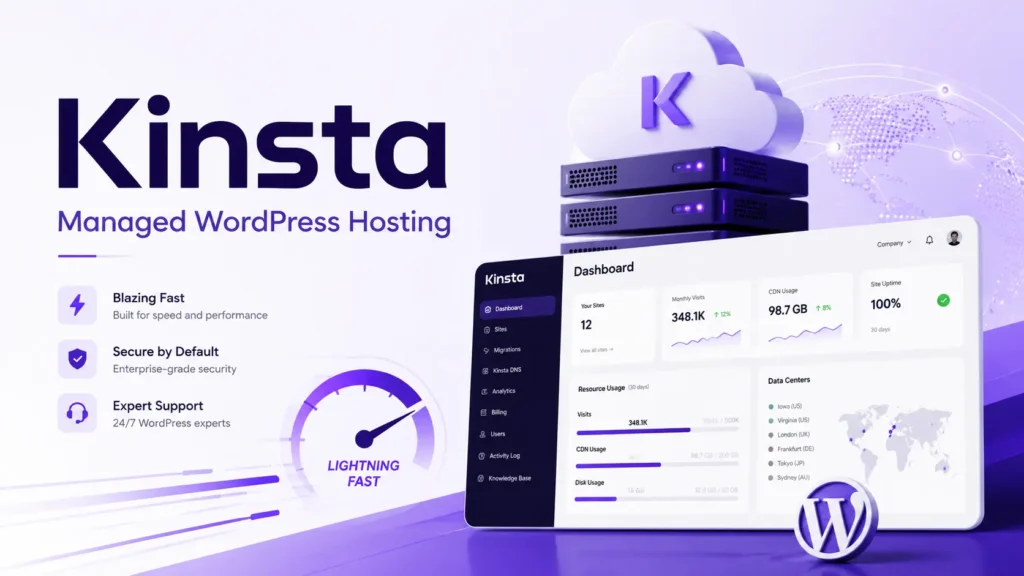
Kinsta includes:
- Managed WordPress hosting
- MyKinsta dashboard
- Free SSL
- Free CDN powered by Cloudflare
- Edge caching
- Daily backups
- Unlimited free migrations
- Free malware removal
- Built-in APM tool
- Staging environment
- SFTP and SSH access
- Site analytics
- Automatic database optimization
- DDoS protection
- Expert 24/7 chat support
Kinsta’s strongest selling point is that many features are included without making you chase add-ons.
The built-in APM tool is a good example. If your site is slow because of a bad plugin, theme function, database query, or external request, APM helps you find the issue faster.
That matters.
A fast server cannot fix a bloated WordPress site by itself. You need visibility. Kinsta gives you more of that out of the box.
Why Kinsta Is Popular
Kinsta is popular because it feels premium without feeling complicated.
A beginner can launch a site, add a domain, set SSL, and use staging without calling a developer. A developer can still access useful controls without fighting the dashboard.
Kinsta also handles migrations well. Unlimited free migrations are a big deal if you are moving multiple WordPress sites or leaving a messy shared host.
Kinsta Pros
- Very clean dashboard
- Strong speed and caching setup
- CDN and edge caching included
- Built-in APM tool
- Unlimited free migrations
- Free malware removal
- Daily backups
- Great for beginners and developers
- Transparent scaling options
Kinsta Cons
- No phone support
- No free domain
- Still expensive for small hobby blogs
- Visit and bandwidth limits matter
- Some users may prefer WP Engine’s agency tools
- Paid add-ons can increase cost
Who Should Buy Kinsta?
Choose Kinsta if:
- You want premium WordPress hosting without dashboard clutter
- You care about speed and easy troubleshooting
- You want free expert migrations
- You run a niche site, business site, or WooCommerce store
- You want a simpler managed hosting experience
- You prefer included tools over add-on hunting
For most single-site users, Kinsta feels like the easier recommendation.
WPEngine vs Kinsta Performance: Speed, TTFB, Uptime, and Server Tech
This is where people often make the wrong comparison.
WP Engine vs Kinsta is not a simple LiteSpeed vs Apache battle. Neither platform should be judged like a cheap shared hosting plan. You are not picking between cPanel servers with different web server software.
Both use managed cloud infrastructure, caching layers, CDN delivery, and WordPress-specific optimization.
Speed and TTFB
In real use, both can be very fast.
The bigger difference is how each platform helps you keep the site fast after plugins, ads, scripts, WooCommerce features, and page builders are added.
WP Engine uses EverCache, CDN support, and platform-level WordPress optimization. It performs well for business sites and agency builds.
Kinsta uses edge caching, Cloudflare CDN, container-based hosting, and built-in APM. I prefer Kinsta for diagnosing speed problems because the dashboard gives you useful performance visibility without needing a third-party tool immediately.
For a clean WordPress site, the WPEngine vs Kinsta speed test result will usually be close. For a bloated WordPress site, Kinsta’s APM and simple cache controls can make troubleshooting easier.
Uptime
Both are reliable enough for serious WordPress sites.
WP Engine offers strong uptime, with stronger SLA options on selected higher-tier plans. Kinsta offers SLA-backed uptime up to 99.9 percent on standard plans and higher options on custom plans.
Here is the honest part.
Most small sites will not notice a big uptime difference between the two. The bigger issue is whether your plugins, theme, checkout, DNS, and third-party tools are stable.
Hosting is only one piece.
Server Technology
If someone tells you this comparison is just LiteSpeed vs Apache, they are using the wrong framework.
WP Engine uses its own managed WordPress stack with EverCache and CDN support.
Kinsta uses a managed WordPress setup with isolated site resources, Cloudflare CDN, and edge caching.
For practical users, this matters more than the web server label.
Ask this instead:
- Does the site stay fast under traffic?
- Can I clear cache easily?
- Can I test changes safely?
- Can support understand WordPress problems?
- Can I find slow plugins quickly?
- Are backups easy to restore?
On those questions, both are strong. Kinsta is slightly easier for everyday performance management.
WPEngine vs Kinsta User Interface: Dashboard Experience
Neither WP Engine nor Kinsta uses cPanel as the main experience. Neither uses Hostinger-style hPanel either.
Both use custom dashboards.
WP Engine Dashboard
WP Engine’s dashboard is powerful. You can manage installs, backups, staging, domains, redirects, cache, users, and environments.
It is good for agencies and developers. But beginners may need a little time to understand the structure.
The dashboard is not bad. It just feels more “platform” than “simple hosting account.”
Kinsta Dashboard
MyKinsta is cleaner.
You can manage domains, backups, CDN, cache, redirects, analytics, staging, PHP settings, and tools from one place.
I find it easier for beginners. Developers also get enough control.
For dashboard experience, I give the win to Kinsta.
WPEngine vs Kinsta Pricing and Renewal Hikes
This is where you need to slow down before buying.
WP Engine starts around $30/month for the Startup plan. Kinsta starts at $35/month monthly or about $30/month if you pay annually.
So, at the entry level, the pricing looks close.
But the details matter.
WP Engine Pricing Notes
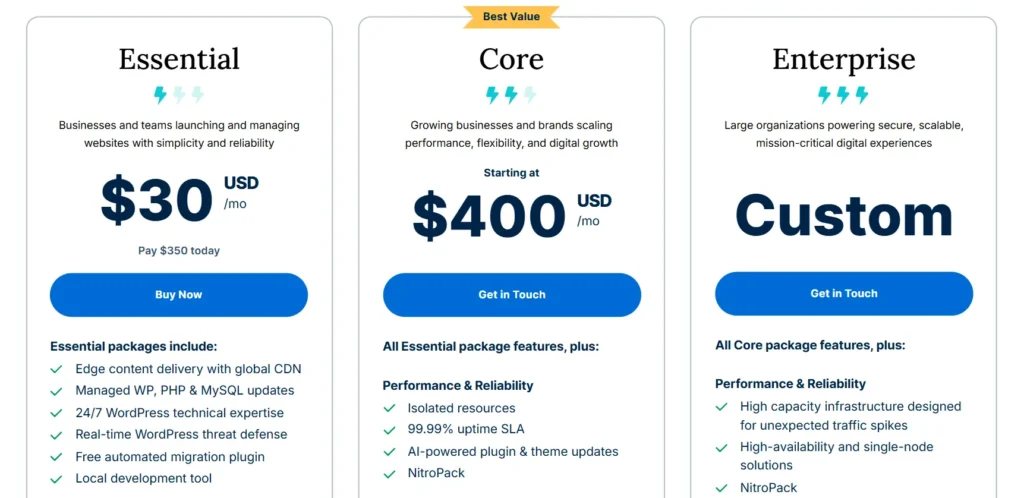
WP Engine’s Startup plan is for one site, limited visits, limited storage, and limited bandwidth. It includes the core managed WordPress features, but some advanced security, monitoring, APM, plugin update automation, and front-end optimization features may sit behind add-ons or higher plans.
That is not a scam. It is just how premium hosting pricing works.
The problem is that beginners may see the starting price and assume everything is included.
It is not.
Kinsta Pricing Notes
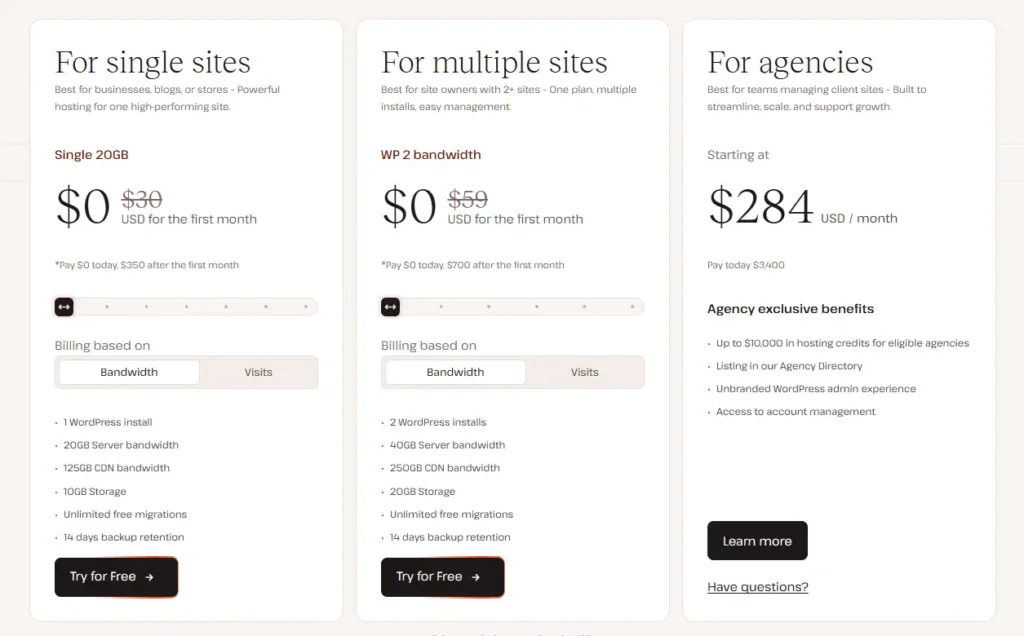
Kinsta also uses limits. You need to watch visits, bandwidth, storage, and CDN usage.
The good part is that Kinsta includes several useful features in all plans, including CDN, edge caching, free migrations, malware removal, and APM.
That makes Kinsta feel like better value for a single WordPress site.
The Renewal Trap
This is not like budget hosting where you pay $2.99/month for year one and then get shocked later.
WP Engine and Kinsta are premium from day one.
The “trap” here is different.
You start with the entry plan, then your site grows, then you need more visits, storage, bandwidth, security, monitoring, or performance features. That is when the monthly cost climbs.
Before you buy, check:
- How many sites are included?
- What happens if traffic spikes?
- What add-ons do you need?
- Is malware cleanup included?
- Is APM included?
- Is phone support important?
- How much does the next plan cost?
For value, Kinsta wins the entry-level battle.
WPEngine vs Kinsta Customer Support
Both offer WordPress-focused support, which is already better than standard shared hosting support.
WP Engine Support
WP Engine offers 24/7 support. The Startup plan is chat only, while higher plans include phone support.
That phone support can matter for agencies and businesses. If you manage client sites and something breaks before a campaign launch, talking to someone can be useful.
WP Engine support is generally strong on WordPress platform issues, caching, backups, redirects, staging, and hosting-level problems.
Kinsta Support
Kinsta offers 24/7 chat support from WordPress experts. No phone support.
Some users see no phone support as a weakness. I understand that. But Kinsta’s chat support is usually fast and technical enough for most problems.
I actually prefer good technical chat over weak phone support. Screenshots, logs, links, and written steps are easier to track.
Support winner depends on your preference.
- Need phone support? Pick WP Engine.
- Want fast technical chat and clean issue tracking? Pick Kinsta.
WPEngine vs Kinsta Security and Backups
Both are much better than cheap shared hosting for security.
WP Engine Security
WP Engine includes free SSL, daily backups, on-demand backups, platform security, plugin risk scanning, DDoS protection, and malware cleaning support.
Advanced security features like managed WAF and extra edge security may require add-ons or higher-tier options.
Kinsta Security
Kinsta includes free SSL, Cloudflare-powered protection, DDoS protection, daily backups, free malware removal, uptime monitoring, and vulnerability detection.
Kinsta’s free malware removal is a strong value point. For small business owners, malware cleanup can be expensive if bought separately.
Backup Experience
Both are good here.
WP Engine lets you restore daily and on-demand backups. Kinsta also gives daily backups and system-generated backups.
For normal WordPress users, both are safe choices.
For included security value, Kinsta gets a slight edge.
Migration Experience: Which One Is Easier?
Migration is one of the biggest reasons people delay switching hosts.
WP Engine Migration
WP Engine offers an automated migration plugin. It works well for normal WordPress sites. You prepare the destination site, install the plugin, connect the source site, and migrate.
For developers, that is fine.
For beginners, it can still feel technical.
Kinsta Migration
Kinsta offers unlimited free migrations from standard WordPress hosts. You request the migration through MyKinsta, share access or a backup, and Kinsta’s migration team handles the move.
That is easier.
If I were moving a business site and did not want to touch database exports, serialized URLs, or plugin conflicts, I would rather let Kinsta handle it.
Migration winner: Kinsta.
Which One Is Better for Beginners?
Kinsta is better for beginners.
The dashboard is cleaner. Migration is easier. Support is easy to access. Performance tools are built in. You do not need to understand as many platform details to get started.
WP Engine is still beginner-friendly compared to unmanaged hosting. But it feels more useful when you already understand WordPress environments, staging, caching, and client workflows.
If you are starting your first serious WordPress site, Kinsta is easier.
Which One Is Better for Business and E-commerce?
This depends on the type of business.
For a normal business website, service site, niche site, or content site, I would pick Kinsta.
For an agency managing many client sites, WP Engine becomes more attractive. The workflow tools, transferable sites, staging, and ecosystem are strong.
For WooCommerce, both can work. But do not buy the cheapest plan blindly. WooCommerce needs more resources because carts, checkout pages, logged-in users, search, filters, and payment plugins create more uncached activity.
For serious e-commerce, talk to sales before choosing either host.
My simple take:
- Small business website: Kinsta
- Content site: Kinsta
- Agency client work: WP Engine
- WooCommerce starter store: Kinsta or WP Engine higher plan
- Large WooCommerce store: Compare custom plans carefully
Real-World Scenario: If I Were Starting a Niche Blog Today With a $50 Budget
If my budget was only $50 total, I would not pick either.
That may sound harsh, but it is true.
A new niche blog does not need premium managed hosting on day one unless speed, uptime, or brand trust is already tied to revenue.
If my budget was $50 per month and I had to choose between WP Engine and Kinsta, I would pick Kinsta.
Here is why:
- The entry pricing is competitive.
- The dashboard is easier.
- Free migration is useful.
- APM helps diagnose slow plugins.
- CDN and edge caching are included.
- Malware removal adds peace of mind.
For a new affiliate site, content site, or business blog, Kinsta gives me more practical value without forcing me into as many add-ons early.
We track the latest deals for both providers; check our coupon section before you buy.
Final Verdict: WPEngine vs Kinsta Winner
In the WPEngine vs Kinsta battle, my winner for 2026 is Kinsta.
WP Engine is still excellent. I would recommend it to agencies, developers, and teams that want a mature WordPress platform with strong workflows and phone support on higher plans.
But for most users, Kinsta is the better value-for-money pick.
It is easier to use. It includes more useful performance tools. Migrations are smoother. The dashboard is cleaner. Security value is strong. Support is technical and fast enough for most WordPress problems.
So here is my final recommendation:
- Choose Kinsta if you want the best overall managed WordPress experience for one or a few serious sites.
- Choose WP Engine if you manage client sites, need agency workflows, or want phone support on higher plans.
- Choose neither if you only need the cheapest hosting for a brand-new hobby blog.
For 2026, Kinsta wins for most WordPress users.
FAQs About WPEngine vs Kinsta
1. Does WP Engine offer a free domain?
No. WP Engine does not include a free domain with its managed WordPress hosting plans. You need to buy your domain separately from a domain registrar.
2. Does Kinsta offer a free domain?
No. Kinsta also does not offer a free domain. It focuses on premium managed WordPress hosting, not domain bundles.
3. Is Kinsta good for WordPress?
Yes. Kinsta is one of the best managed WordPress hosts in 2026. It is fast, clean, secure, and easy to manage. It is especially good for business websites, niche sites, agencies, and performance-focused WordPress users.
4. Is WP Engine good for beginners?
Yes, but it is better for serious beginners than casual users. If you are building a business website and want managed hosting, WP Engine is fine. If you want the simplest dashboard, Kinsta is easier.
5. Which is faster, WP Engine or Kinsta?
Both are fast. In a real WPEngine vs Kinsta speed test, the result depends on your theme, plugins, page builder, image weight, caching setup, CDN, and test location. Kinsta gets my slight edge because its built-in APM and edge caching make performance management easier.
6. Is WP Engine or Kinsta better for WooCommerce?
Both can host WooCommerce, but do not use the cheapest plan for a serious store. WooCommerce needs more resources than a basic blog. WP Engine has strong e-commerce options, while Kinsta is easier for smaller stores that want clean management and strong speed.
7. Which host is better value in 2026?
Kinsta is the better value for most users. WP Engine is better if you specifically need agency tools, client handoff features, or phone support on higher plans.