
Choosing between Hostinger and Bluehost can feel annoying because both look cheap, both promise beginner friendly hosting, and both push big discounts on the pricing page. The real question is not “which one is popular?” It is “which one gives you better speed, fewer headaches, and better value after the first bill?”
I have used both types of hosting setups for blogs, affiliate sites, client websites, and WordPress projects. My honest take is simple: Bluehost is easier to trust because of its WordPress reputation, but Hostinger usually gives you more for the money.
If you are looking for the Best affordable hosting 2026, Hostinger should be your first pick.
Hostinger vs Bluehost Quick Comparison Table
| Feature | Hostinger | Bluehost |
|---|---|---|
| Starting Price | From around $2.99 per month on long term plans | From around $3.99 per month on long term plans |
| Renewal Price | Higher after first term, but still competitive | Higher after first term and can feel expensive |
| Uptime Claim | 99.9 percent style hosting expectation | 99.99 percent shared hosting SLA |
| Server Technology | LiteSpeed based hosting | Apache based hosting with caching and CDN tools |
| Dashboard | Custom hPanel | Bluehost dashboard with cPanel access on many plans |
| Free Domain | Included on eligible annual plans | Included for first year on eligible plans |
| Backups | Weekly on lower plans, daily on higher plans | Weekly on many shared plans, stronger backup features on higher tiers |
| Support | 24/7 chat, no phone support on standard plans | 24/7 chat, phone support on selected plans |
| Best For | Bloggers, small businesses, affiliate sites, budget users | WordPress beginners, small businesses, users who want phone support |
Hostinger Deep Dive: What Hostinger Gets Right
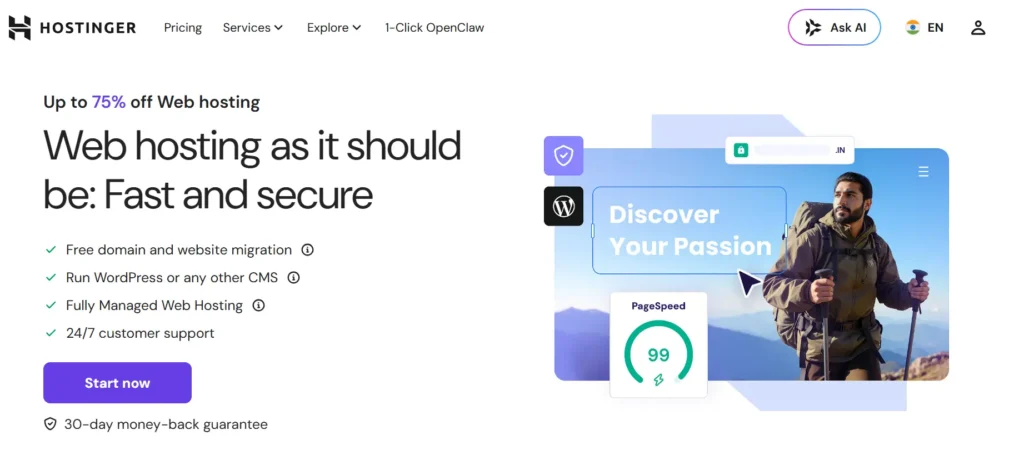
Hostinger became popular because it solved a simple problem: most beginners want fast WordPress hosting without paying managed hosting prices.
That is still the main reason I like it.
Hostinger gives you a clean dashboard, strong starter pricing, LiteSpeed servers, free SSL, a free domain on eligible plans, email on selected plans, and simple WordPress setup. You do not need to be technical to launch a site. You can install WordPress, connect a domain, create email, manage files, add backups, and check performance from one place.
The best part is the speed for the price. Hostinger uses LiteSpeed technology, which works well with LiteSpeed Cache for WordPress. If you set it up properly, use a light theme, compress images, and avoid bloated plugins, you can get very good results even on a cheap plan.
Hostinger is not perfect. The cheapest plans still have limits. You should not expect a $2 or $3 plan to handle a massive WooCommerce store or a viral media website. Also, hPanel is not cPanel. I like hPanel, but developers who are used to traditional hosting may need a little time to adjust.
Hostinger Key Features
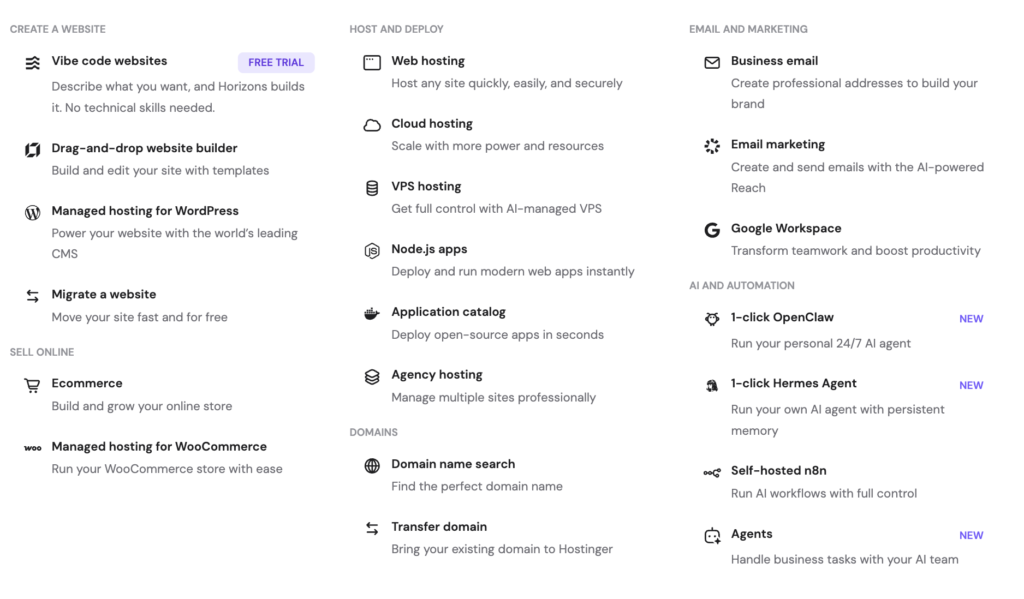
- LiteSpeed based hosting
- Free SSL
- Free domain on eligible plans
- Free website migration
- Weekly backups on starter plans
- Daily backups on higher plans
- Custom hPanel dashboard
- WordPress installer
- Built in caching tools
- Affordable cloud and VPS upgrade path
Hostinger Pros and Cons
Pros
- Very strong value for money
- Better speed potential on entry level hosting
- Clean dashboard for beginners
- Free migration is useful
- Good for blogs, affiliate sites, and small business websites
- LiteSpeed Cache works well with WordPress
Cons
- No phone support on standard hosting
- Renewal prices jump after the first term
- Cheapest plans are not made for heavy traffic
- hPanel may feel unfamiliar if you love cPanel
Who Should Buy Hostinger?
Buy Hostinger if you want an affordable WordPress host that feels fast, simple, and practical. It is a strong fit for:
- Niche blogs
- Affiliate websites
- Portfolio sites
- Local business websites
- Small WooCommerce stores
- Beginners with limited budget
- Developers who want decent speed without high monthly cost
You can grab the maximum discount on Hostinger through our exclusive link below.
Bluehost Deep Dive: What Bluehost Gets Right
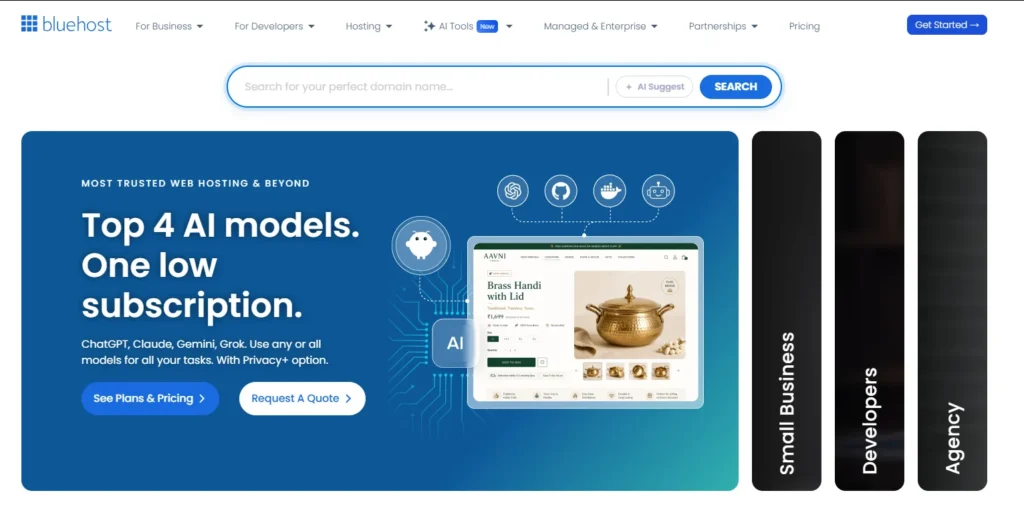
Bluehost has been around for a long time, and its biggest strength is WordPress simplicity. If you are building your first WordPress site and want a host that walks you through setup, Bluehost does that well.
The onboarding is smooth. You choose a plan, pick a domain, install WordPress, and use the Bluehost dashboard to manage the basics. It also gives you access to familiar hosting tools, and many users like that because they do not want to learn a completely new system.
Bluehost also has a strong brand connection with WordPress. That matters for beginners who want a safer choice. It is not always the fastest cheap host, but it is easy to understand.
Where Bluehost gets less attractive is pricing after renewal. The first term looks cheap. The renewal can sting. Also, some useful security and backup features are better on higher plans. If you pick the cheapest plan and expect premium protection, you may be disappointed.
Bluehost Key Features
- WordPress friendly setup
- Free domain for the first year on eligible plans
- Free SSL
- Free CDN
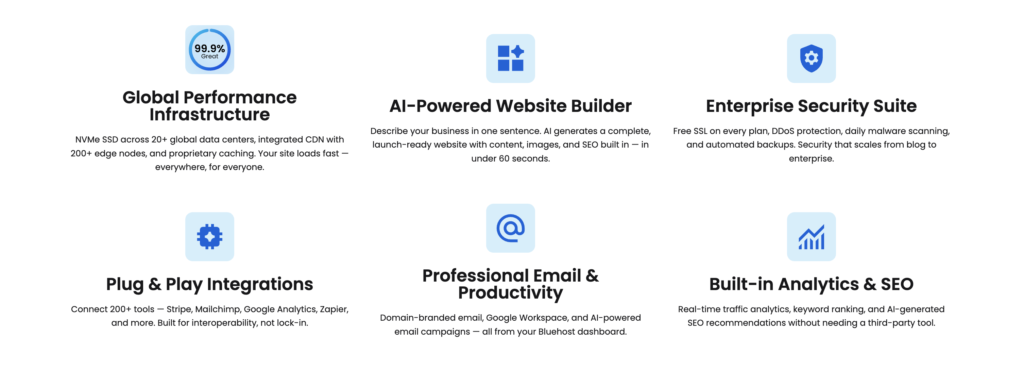
- NVMe storage on shared hosting plans
- Free site migration tool
- Managed WordPress updates
- 24/7 chat support
- Phone support on selected plans
- cPanel access on many hosting plans
Bluehost Pros and Cons
Pros
- Very beginner friendly for WordPress
- Strong WordPress reputation
- Free domain for the first year
- Phone support on selected plans
- Familiar dashboard and cPanel style tools
- Good choice for simple business websites
Cons
- Renewal pricing is higher
- Cheapest plan feels limited
- Some important security tools are plan dependent
- Performance is good, but Hostinger often feels faster for the money
- Add ons can increase checkout cost if you are not careful
Who Should Buy Bluehost?
Buy Bluehost if you want a simple WordPress setup and prefer a well known hosting name. It is a good fit for:
- First time WordPress users
- Personal blogs
- Small business websites
- Users who want phone support
- People who prefer a more traditional hosting dashboard
- Basic WooCommerce stores on higher plans
Bluehost is not bad. It is just not always the best value when you compare it directly against Hostinger.
Hostinger vs Bluehost Performance: Speed, Uptime, and Server Technology
This is the biggest section because performance affects everything. Rankings, conversions, user experience, and bounce rate all depend on how fast your site loads.
Speed and TTFB
In a Hostinger vs Bluehost speed test, Hostinger usually has the advantage on budget plans because of LiteSpeed. LiteSpeed works nicely with WordPress caching and can reduce server response time when configured properly.
Bluehost can still perform well, especially with CDN, caching, and NVMe storage. But on entry level shared hosting, Bluehost often feels more like a safe beginner host than a speed focused host.
My practical view:
- For a small WordPress blog, both are fine.
- For an affiliate site with lots of content, Hostinger feels lighter and faster.
- For a business website with basic pages, either works.
- For WooCommerce, choose a higher plan on either host.
Do not expect magic from any cheap shared hosting plan. If your site has 50 plugins, heavy sliders, uncompressed images, and a bulky theme, no host will save you completely.
Uptime
Both providers advertise strong uptime. Bluehost has a more visible uptime SLA on shared hosting, while Hostinger also aims for reliable hosting across its plans.
In real use, I would not choose based only on the uptime number. Most decent hosts can keep a small site online most of the time. The bigger question is how fast support responds when something breaks.
For most users, uptime should not be the deal breaker here. Speed, pricing, backups, and support matter more.
Server Technology: LiteSpeed vs Apache
This is where Hostinger gets a real edge.
Hostinger uses LiteSpeed technology, which is a strong match for WordPress. Pair it with LiteSpeed Cache, and you can get better page speed scores without needing too many paid optimization plugins.
Bluehost relies more on the traditional Apache based hosting setup, along with CDN and caching features. That is not bad. Apache is stable and widely used. But if we are talking pure value and speed potential, LiteSpeed gives Hostinger a cleaner advantage.
Performance winner: Hostinger
Hostinger vs Bluehost User Interface: hPanel vs Bluehost Dashboard
Hostinger uses hPanel. It is not cPanel, but it is clean and easy to understand. You can manage domains, WordPress, files, email, databases, backups, and SSL without feeling lost.
For beginners, I actually prefer hPanel. It removes a lot of the clutter you see in older hosting dashboards.
Developers may prefer Bluehost because cPanel style tools feel familiar. If you work with file manager, phpMyAdmin, DNS records, staging, and email routing often, Bluehost can feel more traditional.
Here is the simple breakdown:
- Hostinger is better for beginners who want a modern dashboard.
- Bluehost is better for users who already know cPanel.
- Hostinger feels cleaner.
- Bluehost feels more familiar.
User interface winner: Hostinger for beginners, Bluehost for traditional hosting users
Hostinger vs Bluehost Pricing and Renewal Hikes
This is where buyers make mistakes.
They see the monthly price and think that is the real cost. It usually is not. The cheapest price normally requires a long term commitment, often 12, 24, 36, or 48 months.
Hostinger is usually cheaper upfront. Its Premium plan is often one of the best value starter plans because you get multiple websites, free SSL, free domain on eligible terms, weekly backups, and migration.
Bluehost also gives a cheap first term, but renewal pricing can feel heavier. The Starter plan is attractive for beginners, but once renewal hits, the deal looks less exciting.
The trap is the same with both:
- You buy at a low promotional price.
- You enjoy the first term.
- Renewal arrives at the regular price.
- The hosting suddenly feels much more expensive.
My advice is simple. If you choose Hostinger, lock in a longer term only if you are serious about the site. If you choose Bluehost, check the renewal price before checkout and remove unnecessary add ons.
Pricing winner: Hostinger
Hostinger vs Bluehost Customer Support
Support is a mixed area.
Hostinger offers 24/7 support, mainly through live chat and tickets. The support is usually fine for common WordPress, DNS, SSL, and migration issues. For deep server level problems, you may need patience.
Bluehost offers 24/7 chat and phone support on selected plans. That phone support matters for beginners who want to talk to a real person instead of waiting in chat.
But phone support does not automatically mean better technical depth. Sometimes the first level support on large hosting companies follows scripts. That is normal. For basic issues, both are okay. For advanced developer issues, neither replaces a proper managed cloud host.
My practical take:
- Hostinger support is good enough for most website owners.
- Bluehost support is better if you value phone help.
- Developers should not expect advanced DevOps support on cheap shared plans.
Support winner: Bluehost for phone support, Hostinger for value
Hostinger vs Bluehost Security and Backups
Both hosts include free SSL, which is now standard. Do not pay extra for basic SSL unless there is a specific business reason.
Hostinger gives weekly backups on lower plans and daily backups on higher plans. I like that because backups are not treated like a luxury feature on every plan.
Bluehost includes security basics like SSL, CDN, malware scanning on many plans, and stronger tools on higher tiers. But some important security and backup features depend on the plan you choose.
For a serious WordPress site, I would still use an extra backup plugin or external backup system. Hosting backups are helpful, but I do not like depending on only one backup source.
Basic security checklist:
- Use free SSL
- Turn on automatic WordPress updates carefully
- Use strong passwords
- Add two factor login if possible
- Keep plugins updated
- Avoid nulled themes
- Keep offsite backups
Security and backups winner: Hostinger on value, Bluehost on packaged business features
Migration Experience: Moving an Existing Site
Hostinger does this well. Its free migration service is one of the reasons I recommend it to budget users. You submit your old host details, request migration, and Hostinger handles most of the move.
Bluehost also offers migration tools, and the process is beginner friendly. If your site is simple, you can move it without too much stress.
The main difference is confidence. Hostinger feels more aggressive about making migration easy because it wants users moving from other cheap hosts. Bluehost feels more guided for WordPress beginners.
Before migration, always do these things:
- Take a full backup.
- Export your database.
- Save your wp content folder.
- Lower DNS TTL if possible.
- Test the site before changing nameservers.
- Check forms, images, checkout pages, and login pages after migration.
Migration winner: Hostinger
Which One is Better for Beginners?
For absolute beginners, both are good.
But if I had to choose one, I would pick Hostinger for most beginners because the dashboard is cleaner and the value is better. You get enough tools to launch a blog without feeling like every basic feature is an upsell.
Bluehost is still a strong beginner host if you specifically want WordPress guidance and phone support. Some users feel safer with Bluehost because it has been recommended in the WordPress space for years.
Pick Hostinger if:
- You want to save money
- You want a cleaner dashboard
- You want better speed for the price
- You are starting a blog or affiliate site
Pick Bluehost if:
- You want phone support
- You want a WordPress focused brand
- You prefer a traditional hosting setup
- You are building a simple business website
Beginner winner: Hostinger
Which One is Better for Business and E-commerce?
For business websites, Hostinger is better if your main goal is speed and cost control. A local service site, agency site, personal brand, or lead generation website can run nicely on Hostinger.
For e-commerce, I would be more careful. WooCommerce needs more resources than a normal blog. Product pages, carts, checkout, payment plugins, email plugins, and security tools all add load.
If you are building a small store, either host can work on a higher plan. If you want a serious store with real sales volume, do not stay on the cheapest shared plan.
For e-commerce, my advice is:
- Use Hostinger Business or Cloud if you want value.
- Use Bluehost eCommerce plans if you want a more guided WooCommerce setup.
- Avoid the cheapest plan for any real store.
- Add external backups.
- Use a lightweight theme.
- Keep plugins limited.
Business winner: Hostinger
E-commerce winner: Bluehost for guided setup, Hostinger for better value
Real World Scenario: Starting a Niche Blog With a $50 Budget
If I were starting a niche blog today with a $50 budget, I would pick Hostinger.
Here is why.
A niche blog needs three things in the beginning: low cost, decent speed, and simple management. You do not need expensive managed WordPress hosting on day one. You need to publish content, build topical authority, keep the site fast, and avoid wasting money.
With Hostinger, I can start cheap, install WordPress, use a light theme, add Rank Math or Yoast, install LiteSpeed Cache, compress images, and begin publishing.
My setup would look like this:
- Hostinger Premium or Business plan
- WordPress
- GeneratePress or Astra theme
- LiteSpeed Cache
- ShortPixel or another image optimizer
- Rank Math or Yoast SEO
- A simple backup plugin
- Google Search Console
- Google Analytics
- Clean internal linking structure
For Bluehost, I would pick it only if I wanted more hand holding or phone support. It is still beginner friendly, but for a tight budget, Hostinger gives me more room.
We track the latest deals for both providers, so check our coupon section before you buy.
Final Verdict: Hostinger vs Bluehost Winner for 2026
The winner of Hostinger vs Bluehost in 2026 is Hostinger.
Bluehost is still a good host. It is beginner friendly, WordPress focused, and backed by a strong reputation. If you want a simple WordPress website and like having phone support available on selected plans, Bluehost is a safe choice.
But Hostinger is the better value for most people. It is cheaper, faster for the money, cleaner to use, and better suited for bloggers, affiliate marketers, small businesses, and budget focused developers.
Choose Hostinger if you want the best balance of price, speed, and features.
Choose Bluehost if you want a familiar WordPress host with stronger brand trust and phone support.
For most readers comparing Hostinger vs Bluehost, I would pick Hostinger and spend the saved money on a better theme, better content, or a useful SEO tool.
FAQs About Hostinger vs Bluehost
1. Does Hostinger offer a free domain?
Yes, Hostinger offers a free domain on eligible annual plans. Always check the exact plan before buying because free domain offers usually depend on the billing term and plan type.
2. Is Bluehost good for WordPress?
Yes, Bluehost is good for WordPress beginners. It offers easy WordPress installation, managed updates, free SSL, and a beginner friendly dashboard. It is one of the safer choices for someone launching their first WordPress website.
3. Which is faster, Hostinger or Bluehost?
Hostinger usually has better speed potential on budget plans because it uses LiteSpeed technology. Bluehost can still perform well, but Hostinger is the stronger pick if speed and price are your main concerns.
4. Is Hostinger better than Bluehost for beginners?
For most beginners, yes. Hostinger has a cleaner dashboard and better value. Bluehost is still better if you want phone support or prefer a WordPress focused brand with a long track record.
5. Which host is better for e-commerce?
For a small store, both can work on higher plans. Bluehost has more guided WooCommerce options, while Hostinger gives better value and faster performance for the price. Do not run a serious e-commerce store on the cheapest shared plan from either host.
6. Do Hostinger and Bluehost increase prices on renewal?
Yes. Both use discounted first term pricing. Renewal prices are higher. Check the renewal price before buying, not just the promotional monthly price.
7. Which is the best affordable hosting 2026?
For most users, Hostinger is the best affordable hosting 2026 option between these two. It gives stronger value, good speed, free migration, free SSL, and a cleaner beginner experience.