
A2 Hosting has been one of the most searched names in web hosting for years, especially among WordPress users, developers, bloggers, and small business owners who care about speed.
The brand built its reputation around fast servers, developer friendly tools, free migrations, and reliable support. But there is one important thing to know before choosing it in 2026: A2 Hosting is now operating under the hosting.com brand.
That does not mean the old A2 Hosting service disappeared overnight. Many of the same ideas are still there, including fast shared hosting, cPanel access, NVMe storage, LiteSpeed technology, free SSL, migration help, VPS options, and a strong focus on performance. The main change is branding, plan structure, and pricing presentation.
This A2 Hosting review looks at the current hosting.com plans through the lens of what users still search for as A2 Hosting. I will cover pricing, shared hosting plans, features, performance, security, support, pros and cons, and how it compares with similar hosting providers like Hostinger, Bluehost, SiteGround, and DreamHost.
A2 Hosting Review: Quick Verdict
A2 Hosting is still a strong choice if you want fast shared hosting with cPanel, NVMe storage, LiteSpeed, free SSL, professional email, and room to upgrade later. The entry level pricing is affordable, but the renewal cost is much higher after the first term. That means A2 Hosting is best for users who care about speed and features, not only the lowest possible price.
It is a good fit for:
• WordPress blogs
• Affiliate websites
• Small business websites
• Portfolio sites
• Local service websites
• Growing content sites
• Developers who want cPanel, SSH, Node.js and Python support
• Users who want free migration help
It may not be the best fit for users who want the lowest renewal cost or a very simple beginner dashboard like Hostinger or Bluehost.
What Is A2 Hosting?

A2 Hosting was a web hosting company known for speed focused hosting, Turbo plans, WordPress optimization, VPS hosting, dedicated hosting, and developer tools. The company became popular because it offered strong shared hosting performance at a price that was still reasonable for bloggers and small businesses.
In 2026, A2 Hosting is now part of hosting.com. So when users search for A2 Hosting, they will usually land on hosting.com pages. This matters because the latest plan names are not the same as the old A2 Hosting names like Startup, Drive, Turbo Boost, and Turbo Max. The current shared hosting lineup includes Starter, Plus, Pro, and Max.
The new plans focus on NVMe storage, LiteSpeed, cPanel, free migration, SSL, malware protection, and scalable hosting resources.
A2 Hosting Pricing 2026
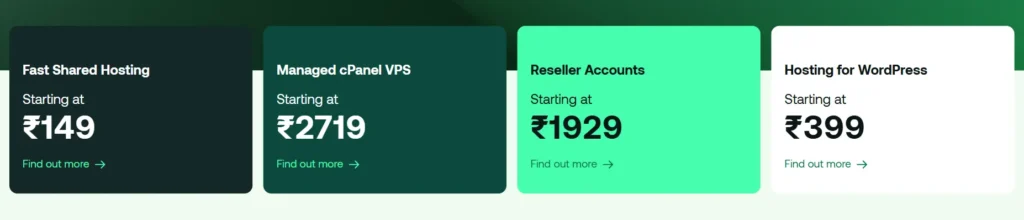
A2 Hosting pricing is one of the most important parts of this review because the first term price is much lower than the renewal price. The current shared hosting plans are billed with promotional pricing for the first one year term. After that, the plan renews at the regular monthly rate.
A2 Hosting Shared Hosting Pricing Table
Pricing Summary
The Starter plan is affordable for one website, but Plus is usually the better pick for most users because it gives you two websites and more storage for only $1 more per month during the first term. Pro is better for serious bloggers, affiliate marketers, and small agencies because it supports up to 10 websites and gives more server resources. Max is for users who manage many websites and need more space, more mailboxes, and stronger limits.
The renewal prices are the main thing to watch. Starter goes from $2.99 to $11.99 per month. Plus goes from $3.99 to $14.99 per month. Pro goes from $6.99 to $22.99 per month. Max goes from $8.99 to $27.99 per month.
This is normal in the hosting industry, but it should be clear before you buy.
A2 Hosting Plans Explained
1. Starter Plan
The Starter plan is made for one website. It includes 15 GB NVMe storage, cPanel, LiteSpeed, free SSL, free migration, email hosting, and basic performance resources.
This plan is best for a personal blog, portfolio, small business website, or a simple WordPress site. It is not the best choice if you plan to launch multiple websites or store a lot of media files.
Choose Starter if you want the cheapest entry point and only need one website.
2. Plus Plan
The Plus plan is the better value plan for many users. It supports two websites, gives 30 GB NVMe storage, and includes 10 mailboxes. This is useful if you want one main site and one testing site, or if you run two small content sites.
For affiliate marketers, local businesses, bloggers, and freelancers, Plus gives more breathing room than Starter without a big price jump.
Choose Plus if you want a better balance between price and flexibility.
3. Pro Plan
The Pro plan supports up to 10 websites and includes 50 GB NVMe storage. It also increases memory, virtual CPU allocation, IOPS, bandwidth allowance, and process limits compared with lower plans.
This plan is better for users who already have traffic or plan to manage multiple WordPress sites. If you run affiliate content websites, service pages, niche blogs, or client websites, Pro is the plan that makes more sense.
Choose Pro if performance and multiple websites matter more than the lowest monthly price.
4. Max Plan
The Max plan is the highest shared hosting plan in the current lineup. It supports up to 100 websites and includes 100 GB NVMe storage. It also offers higher limits for memory, IOPS, IO bandwidth, processes, subdomains, domain aliases, and email mailboxes.
This plan is built for agencies, power users, and site owners with a larger portfolio. It is still shared hosting, so it is not the same as VPS hosting, but it gives much more room than Starter or Plus.
Choose Max if you manage many smaller websites and want to keep them under one hosting account.
A2 Hosting Features
A2 Hosting Performance
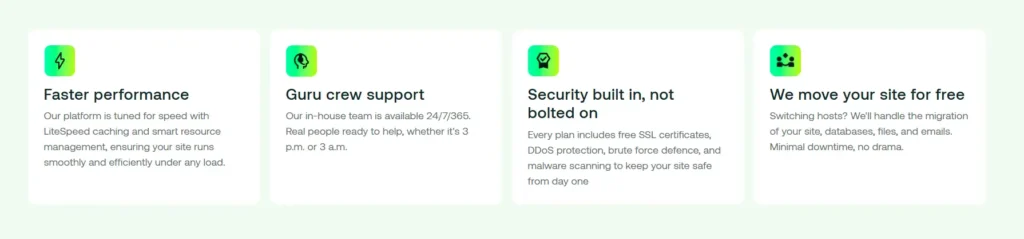
Performance has always been the main reason people choose A2 Hosting. The current hosting.com shared plans continue that focus with NVMe storage, AMD EPYC CPUs, LiteSpeed Webserver, LiteSpeed Cache, HTTP2, HTTP3 and QUIC support.
For WordPress users, LiteSpeed is a major benefit because it works well with the LiteSpeed Cache plugin. This helps with page caching, image optimization, browser cache control, database optimization, and faster content delivery.
Performance will still depend on your website setup. A clean WordPress theme, optimized images, good caching, and limited heavy plugins will always make a difference. But compared with many basic shared hosts, A2 Hosting gives you better speed focused tools out of the box.
The Starter and Plus plans are fine for small websites. Pro and Max are better if your site has more traffic, more plugins, WooCommerce, or multiple websites under one account.
A2 Hosting Security
A2 Hosting includes a solid security setup for shared hosting users. You get free SSL certificates, malware protection, DDoS protection, brute force protection, and secure server level tools. The current plans also mention Monarx security, which is designed to help protect websites from malware and suspicious activity.
For WordPress users, this is useful because many security issues come from outdated plugins, weak passwords, abandoned themes, and poor maintenance. A2 Hosting gives you a stronger base, but you still need to keep WordPress updated.
Basic security checklist for A2 Hosting users:
• Use strong passwords
• Enable two factor login where possible
• Keep WordPress, themes, and plugins updated
• Remove unused plugins
• Use SSL on all pages
• Keep backups active
• Use a trusted security plugin if needed
A2 Hosting is secure enough for blogs, business sites, portfolios, and content websites. For online stores or sensitive customer data, you should use higher security settings, stronger backups, and possibly a managed VPS or managed WordPress setup.
A2 Hosting Ease of Use
A2 Hosting uses cPanel, which is one of the most familiar hosting control panels. This is good for users who already know web hosting. You can manage files, domains, subdomains, databases, email accounts, SSL, redirects, and backups from one place.
Beginners may need some time to get used to cPanel, but it is not hard once you learn the basics. Many hosting users actually prefer cPanel because it is more flexible than custom dashboards.
You can install WordPress, create email accounts, manage databases, and upload files without needing to touch code. Developers also get access to tools like SSH, Node.js, Python, and PHP version selection.
A2 Hosting Customer Support
A2 Hosting has always promoted strong support, and hosting.com continues to offer support through live chat, email, phone, and tickets. The official pages mention 24 hours a day, 7 days a week, 365 days a year support.
This is important because many cheaper hosting providers do not offer phone support, or they limit support to chat and tickets. A2 Hosting is better for users who want more ways to contact support.
Support quality can always vary depending on the issue, timing, and plan, but having chat, phone, and email options is a real advantage.
A2 Hosting Refund Policy
A2 Hosting offers a 30 day money back guarantee for shared hosting and WordPress hosting plans. This gives new customers time to test the service and cancel if it is not the right fit.
There are important limits. Domain registrations, VPS plans, dedicated servers, Microsoft 365, Google Workspace, SSL certificates, and some third party products are not covered in the same way. So if you buy a hosting plan with a domain, the hosting portion may be refundable, but the domain fee usually is not.
This is common in the hosting industry, but buyers should know it before checkout.
A2 Hosting Pros and Cons
Pros
• Fast hosting stack with NVMe storage and LiteSpeed
• cPanel included on shared hosting plans
• Free SSL certificate
• Free website migration in most cases
• Good developer features like SSH, Node.js, Python and PHP control
• 99.9 percent uptime SLA
• Professional email included
• Strong upgrade path from shared hosting to VPS
• 24 hours a day support through multiple channels
• Good fit for WordPress and content websites
Cons
• Renewal prices are much higher than intro prices
• Brand change from A2 Hosting to hosting.com may confuse old users
• Starter plan only supports one website
A2 Hosting vs Similar Hosting Providers
A2 Hosting vs Hostinger
Hostinger is usually easier for beginners because its dashboard is cleaner and more modern. It also has very aggressive promotional pricing. If you are building your first website and want the simplest setup, Hostinger may feel easier.
A2 Hosting is better if you want cPanel, LiteSpeed, developer tools, and more traditional hosting control. It is also a better choice for users who already understand hosting basics and want more flexibility.
Choose Hostinger for ease and low cost. Choose A2 Hosting for speed tools, cPanel, and developer flexibility.
A2 Hosting vs Bluehost
Bluehost is very popular with WordPress beginners. It has a guided setup, a simple dashboard, and strong WordPress branding. It is good for people who want a smoother first website experience.
A2 Hosting is better for users who care more about server features, speed settings, cPanel, and performance control. Bluehost may be easier, but A2 Hosting gives more technical flexibility.
Choose Bluehost if you want beginner friendly WordPress hosting. Choose A2 Hosting if you want faster shared hosting tools and more control.
A2 Hosting vs SiteGround
SiteGround is known for strong support, managed WordPress features, daily backups, and a polished hosting experience. It is a strong host for businesses, but renewal pricing can be high.
A2 Hosting is often more affordable at the entry level and gives cPanel, which SiteGround no longer uses. SiteGround has a cleaner custom dashboard, but A2 Hosting may appeal more to users who prefer traditional hosting tools.
Choose SiteGround for managed WordPress support and business hosting. Choose A2 Hosting for cPanel, LiteSpeed, and stronger developer access.
A2 Hosting vs DreamHost
DreamHost is simple, stable, and transparent with renewal pricing. It also offers a 100 percent uptime guarantee and is beginner friendly in a different way. However, DreamHost does not use cPanel, which may matter to users moving from another traditional host.
A2 Hosting is better for users who want cPanel, LiteSpeed, and stronger developer features. DreamHost is better for simple websites and users who want less clutter.
Choose DreamHost for clean pricing and simple hosting. Choose A2 Hosting for speed tools and cPanel flexibility.
A2 Hosting VPS Pricing
A2 Hosting also offers VPS hosting through hosting.com. VPS hosting is for users who need more control, dedicated resources, and stronger performance than shared hosting.
The unmanaged VPS plan starts around $9.99 per month for a one year term and renews at around $19.99 per month. This is for technical users who can manage their own server setup.
Managed VPS plans start around $28.75 per month for a one year term and renew at a higher regular rate. Managed VPS is better for users who want more power but do not want to handle server updates, security, and configuration on their own.
VPS is not needed for every website. Most new blogs and small business sites can start with shared hosting. Move to VPS when you have higher traffic, custom software needs, or resource heavy applications.
Who Should Use A2 Hosting?
A2 Hosting is a good choice for users who want fast shared hosting with more control than the average beginner host. It works especially well for WordPress sites, affiliate sites, business websites, and developers.
You should consider A2 Hosting if:
• You want cPanel hosting
• You care about website speed
• You want NVMe storage
• You want LiteSpeed caching
• You need free migration help
• You want email hosting included
• You manage more than one website
• You want room to upgrade later
• You like developer tools like SSH, Node.js and Python
Who Should Avoid A2 Hosting?
A2 Hosting is not perfect for everyone. If your only goal is the cheapest long term hosting, the renewal prices may feel high. If you are a complete beginner and want the simplest dashboard, Hostinger or Bluehost may feel easier.
You may want to avoid A2 Hosting if:
• You want the lowest renewal price
• You do not want cPanel
• You only need a basic one page website
• You dislike renewal price jumps
• You want a fully managed WordPress platform like WP Engine or Kinsta
• You need cloud hosting with automatic scaling
Which A2 Hosting Plan Should You Choose?
For most users, the Plus plan is the best starting point. It costs only slightly more than Starter during the first term and gives you two websites, more storage, and more email mailboxes.
Choose Starter if you only need one small website.
Choose Plus if you want the best low cost value.
Choose Pro if you run multiple websites or expect more traffic.
Choose Max if you manage many websites and want the highest shared hosting limits.
For affiliate marketers, bloggers, and content publishers, Pro is usually the most practical choice because it gives more room to grow. For small business owners with one website, Plus is enough.
Is A2 Hosting Good for WordPress?
Yes, A2 Hosting is good for WordPress. The combination of LiteSpeed, NVMe storage, free SSL, cPanel, and migration support makes it a strong WordPress host. You can install WordPress quickly and use caching tools to improve loading speed.
It is especially useful for WordPress users who want better speed without paying for expensive managed WordPress hosting. However, if you want everything handled for you, including deeper WordPress management, staging, premium CDN, and advanced support, managed WordPress hosting may be a better option.
For normal blogs, affiliate websites, and business sites, shared hosting from A2 Hosting is enough.
Is A2 Hosting Good for eCommerce?
A2 Hosting can work for small WooCommerce stores, but you should choose Pro or Max instead of Starter. Online stores need more memory, better process limits, SSL, backups, caching, and stable performance.
For a small store with a limited number of products, A2 Hosting is fine. For a high traffic store, large product catalog, or serious eCommerce brand, VPS or managed WordPress hosting is a safer option.
Final Verdict: Is A2 Hosting Worth It in 2026?
A2 Hosting is still worth it in 2026 if you want fast shared hosting with cPanel, NVMe storage, LiteSpeed, free SSL, free migration, email hosting, and developer friendly tools. The service is no longer presented under the old A2 Hosting branding in the same way, but the core value is still clear: speed focused hosting with more control than many beginner hosts.
The main drawback is renewal pricing. The first year price is attractive, but renewal can be three to four times higher depending on the plan. That does not make A2 Hosting bad, but it does mean you should buy with the full renewal cost in mind.
For most users, the Plus plan is the best low cost choice. For serious bloggers, affiliate marketers, and small agencies, Pro is the smarter long term pick. For larger portfolios, Max gives the most room inside shared hosting.
Overall, A2 Hosting is a strong choice for users who care about performance, cPanel, and flexibility. It is not the cheapest host forever, but it gives a solid mix of speed, features, support, and upgrade options.