
Choosing between BlueHost vs DreamHost is confusing because both brands look safe on paper. Both are old names. Both work with WordPress. Both advertise cheap starting prices. Both promise easy setup.
But once you check renewals, backups, support, and real performance, the difference becomes clearer.
Quick winner: DreamHost is the better overall pick in 2026 if you want better value, cleaner pricing, and stronger included backups. BlueHost is better if you want the easiest beginner setup and slightly stronger speed tools on entry level WordPress hosting.
We track the latest deals for both providers; check our coupon section before you buy.
BlueHost vs DreamHost Quick Comparison Table
| Feature | BlueHost | DreamHost |
|---|---|---|
| Starting price | Around $3.99 per month on Starter | Around $2.89 per month on Web Hosting Launch |
| Renewal price | Starter can renew around $9.99 per month on long term renewal | Launch renews around $10.99 per month after first year |
| Websites on entry plan | 10 websites | 25 websites |
| Storage | 10 GB NVMe SSD on Starter | 25 GB NVMe SSD on Launch |
| Backups | Weekly backups on shared plans | Daily automated backups |
| SSL | Free SSL | Free SSL |
| Free domain | Free for first year on eligible plans | Free for first year on annual plans |
| CDN | Free CDN included | CDN is stronger on DreamPress, add ons available for shared |
| Server technology | LiteSpeed, NVMe, caching, CDN | Apache on shared, NVMe, caching options |
| Uptime claim | 99.99% uptime SLA | 100% uptime guarantee with service credit terms |
| Support | 24/7 chat, phone support on higher plans | 24/7 chat and email through panel |
| Best for | Beginners, WordPress setup, small business sites | Value buyers, bloggers, content sites, users who want included backups |
BlueHost vs DreamHost: BlueHost Deep Dive
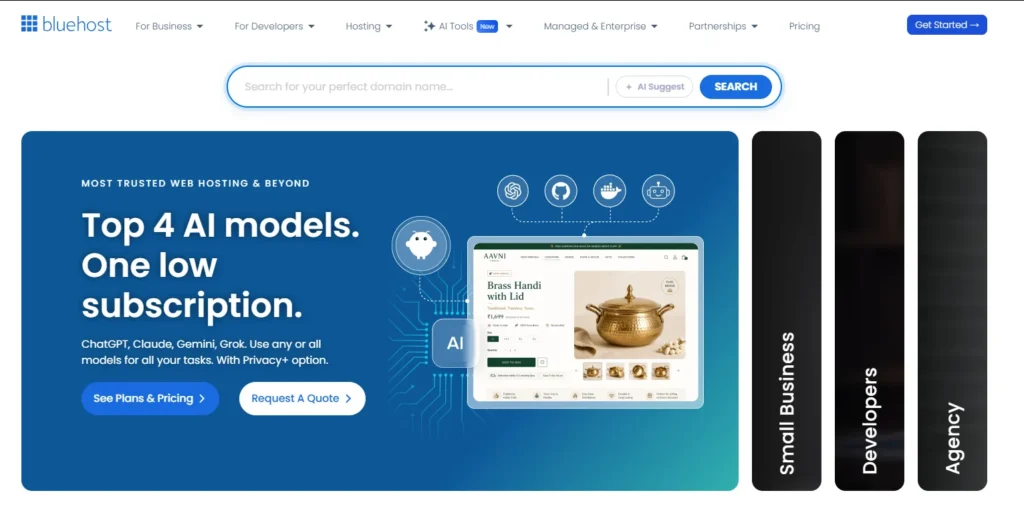
BlueHost is popular because it makes the first website feel easy.
You sign up. You get WordPress installed. You get a simple dashboard. You get free SSL, a free domain for the first year, basic security, and guided setup tools.
That is why many beginners like BlueHost.
It does not feel like old school hosting. You do not need to understand cPanel deeply. You can start a blog, portfolio, small business website, or WooCommerce store without touching server settings.
Key BlueHost Features
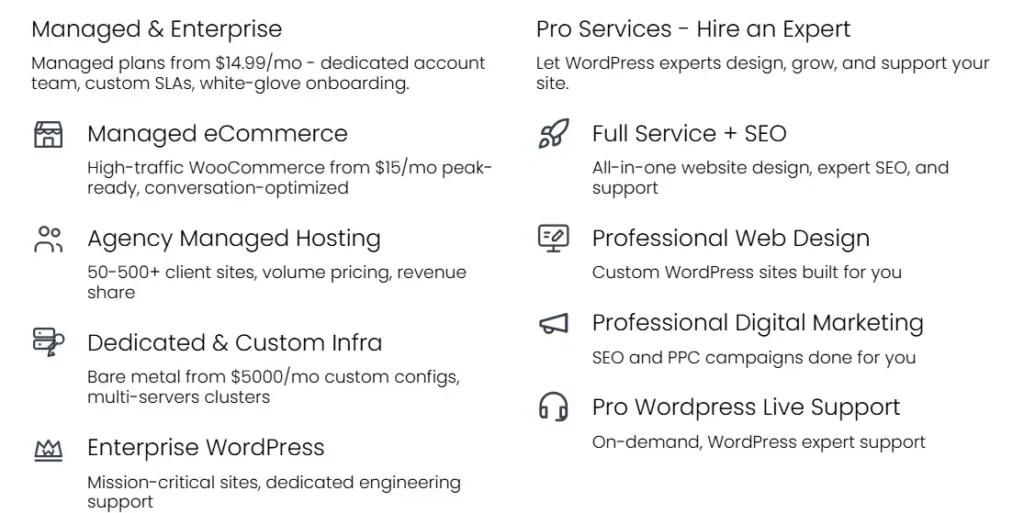
BlueHost gives you:
- Free domain for the first year
- Free SSL certificate
- NVMe SSD storage
- Free CDN
- Free migration tool
- Managed WordPress updates
- AI site creation tools
- LiteSpeed based WordPress hosting
- Weekly website backups
- 24/7 chat support
The best part is the beginner experience. BlueHost removes a lot of friction. For someone starting a website after watching a YouTube tutorial, that matters.
Why BlueHost Is Popular
BlueHost wins attention because it feels familiar. Many WordPress tutorials mention it. Many bloggers recommend it. Its dashboard is simple. Its checkout is easy. Its WordPress setup is fast.
For a first website, that is a big plus.
Also, BlueHost has improved its hosting stack. The current plans mention NVMe storage, caching, CDN, and LiteSpeed optimization. That helps with speed, especially compared with older shared hosting setups.
BlueHost Pros
- Very easy for beginners
- Good WordPress onboarding
- Free domain for the first year
- Free SSL and CDN
- LiteSpeed based hosting helps performance
- Phone support included on higher plans
- Good for simple business sites and blogs
BlueHost Cons
- Renewal prices jump after the first term
- Entry plan backups are weekly, not daily
- Some useful security features may push you toward higher plans
- Checkout add ons can increase the real cost
- Not the cheapest after renewal
Who Should Buy BlueHost?
Choose BlueHost if you want a simple WordPress setup and do not want to think too much about hosting details.
It is good for:
- New bloggers
- Local business websites
- Portfolio sites
- Simple WooCommerce stores
- Beginners who want support and guided setup
If this is your first website, BlueHost feels less scary than DreamHost.
BlueHost vs DreamHost: DreamHost Deep Dive
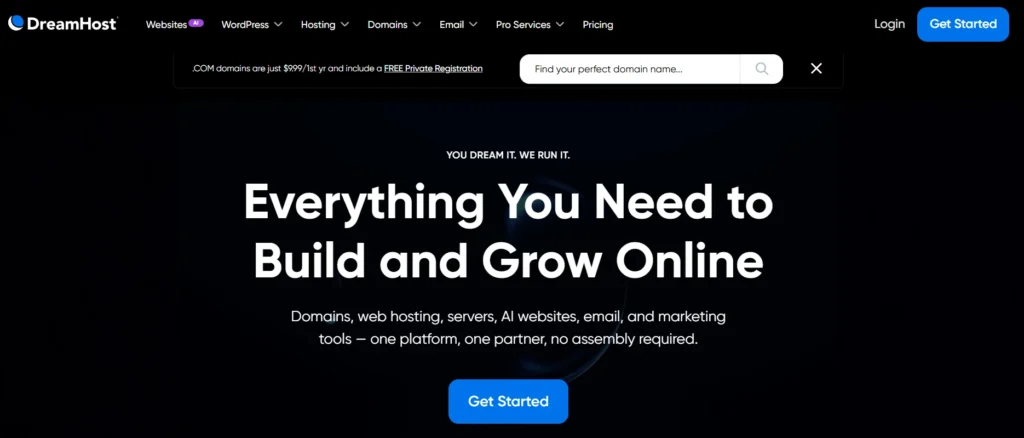
DreamHost feels different.
It is less flashy than BlueHost. The dashboard is custom. It does not use the same traditional cPanel style many hosts use. At first, that can feel odd.
But DreamHost makes up for it with better included value.
The current DreamHost shared lineup is Web Hosting Launch, Growth, and Scale. The older Shared Starter and Shared Unlimited names are no longer the current purchase lineup. That matters because many outdated DreamHost reviews still talk about the old plans.
Key DreamHost Features
DreamHost gives you:
- Web Hosting Launch from around $2.89 per month for the first year
- 25 websites on the entry plan
- 25 GB NVMe SSD storage
- Unmetered bandwidth
- Daily automated backups
- Unlimited free SSL certificates
- Free domain for the first year
- Free starter website help
- 100% uptime guarantee
- 24/7 chat and email support
The biggest win is daily backups. Many cheap hosts make backups a paid add on or limit them heavily. DreamHost includes them on shared hosting.
That is a real feature. Not a decoration.
DreamHost’s Unique Selling Point
DreamHost gives you more practical hosting value for the money.
The Launch plan supports 25 websites and 25 GB NVMe storage. That is strong for a low cost plan. It also shows renewal pricing clearly, which I respect.
Many hosting brands hide the renewal shock until checkout. DreamHost is more upfront.
That does not mean DreamHost is perfect. Its dashboard takes a little time. Its shared hosting runs Apache, so it does not have the same speed advantage as LiteSpeed on BlueHost. Also, phone support is not as simple as BlueHost’s higher tier support setup.
But for a content site owner, blogger, or affiliate website builder, DreamHost gives a lot for the price.
DreamHost Pros
- Better entry plan value
- Daily automated backups included
- 25 websites on the Launch plan
- 25 GB NVMe SSD storage
- Clearer renewal pricing
- Strong uptime guarantee
- Good for blogs and content sites
- Good long term value
DreamHost Cons
- Dashboard is not as beginner friendly as BlueHost
- Shared hosting uses Apache
- Live chat can feel less hand holding than BlueHost
- Email is free only for the first few months on current web hosting plans
- CDN is not as neatly bundled on shared hosting as BlueHost
Who Should Buy DreamHost?
Choose DreamHost if you care about value, backups, storage, and honest renewal pricing.
It is good for:
- Affiliate blogs
- Niche websites
- Content publishers
- Small business websites
- Users with more than one site
- Beginners who can handle a slightly different dashboard
For the money, DreamHost gives you more useful hosting resources.
BlueHost vs DreamHost Performance: Speed, Uptime, and Server Tech
Performance is where this comparison gets interesting.
BlueHost has the cleaner speed story on paper. It mentions LiteSpeed, NVMe storage, caching, global data centers, and CDN support. LiteSpeed is a strong server technology for WordPress because it works well with caching and can handle PHP based sites efficiently.
DreamHost shared hosting uses Apache. Apache is stable and proven, but it is usually not as fast as LiteSpeed for WordPress when both are tuned well.
BlueHost vs DreamHost Speed Test Expectations
If I run a clean WordPress install with a lightweight theme, image compression, and a caching plugin, I would expect BlueHost to produce better first load speed in many cases.
That is because BlueHost has:
- LiteSpeed optimization
- Free CDN
- Static content caching
- Object caching support
- NVMe storage
DreamHost can still be fast, especially for a small blog. But you may need to work harder with caching, image optimization, and plugin control.
For a real BlueHost vs DreamHost speed test, I would look at:
- TTFB
- Fully loaded time
- Largest Contentful Paint
- Cache hit response
- Server response under traffic
My practical expectation:
- BlueHost wins raw speed potential on entry hosting
- DreamHost wins consistency for value focused sites because daily backups and storage are stronger
Uptime
BlueHost claims a 99.99% uptime SLA on shared hosting. That is strong on paper.
DreamHost offers a 100% uptime guarantee with compensation terms. That sounds better, but no shared host can honestly promise that every site will never face an issue. The real value is that DreamHost has a written service credit policy.
In plain English:
- BlueHost gives you a strong uptime target.
- DreamHost gives you a stronger sounding guarantee with clearer compensation terms.
For most small websites, both are reliable enough. If uptime is mission critical, you should not be on cheap shared hosting anyway. Use managed WordPress, VPS, cloud, or dedicated hosting.
Server Technology: LiteSpeed vs Apache
This is simple.
LiteSpeed is better for WordPress speed.
BlueHost has the advantage here.
Apache is not bad. DreamHost uses it because it is stable, flexible, and trusted. But for WordPress performance, LiteSpeed usually gives better caching options and faster response when configured well.
So if your main priority is speed and you want the easiest setup, BlueHost has an edge.
BlueHost vs DreamHost Pricing and Renewal Hikes
This is where DreamHost looks better.
BlueHost starts cheap. The Starter plan can look very affordable at signup. But renewal pricing rises sharply after the first term. That is normal in hosting, but you still need to budget for it.
BlueHost’s Starter renewal can move to around $9.99 per month on a long term renewal. Shorter renewal terms can cost more.
DreamHost Launch starts around $2.89 per month for the first year and renews around $10.99 per month after that. So DreamHost also has a renewal jump.
The difference is transparency.
DreamHost shows the renewal price more clearly on the pricing page. BlueHost often makes you check plan terms, renewal pages, or checkout details.
The Cheap First Year Trap
Both hosts use discounted first term pricing.
That means your first bill looks good. Your second bill may surprise you.
Before buying either host, check:
- Renewal monthly rate
- Billing term length
- Domain renewal cost
- Email renewal cost
- Backup cost
- Malware scanning and removal cost
- Domain privacy cost
Do not judge hosting only by the first year price.
That is how people overpay.
We track the latest deals for both providers; check our coupon section before you buy.
BlueHost vs DreamHost Customer Support
BlueHost is better for beginners who want fast hand holding.
You get 24/7 chat. Phone support is included on higher plans. The support team is used to beginner questions like domain setup, WordPress login, SSL, email, and migration.
DreamHost support is more ticket and panel based. It has live chat and email support, but the experience feels more technical. Some users like that. Some beginners do not.
Support Depth
For simple problems, BlueHost is easier.
For technical users, DreamHost support can be useful because the company has strong documentation and a more developer friendly culture.
My take:
- Beginner support winner: BlueHost
- Documentation and technical self help winner: DreamHost
- Phone support winner: BlueHost
- No nonsense ticket handling: DreamHost
BlueHost vs DreamHost Security and Backups
This is one of the most important sections.
A lot of beginners ignore backups until something breaks. Then they panic.
BlueHost includes free SSL, malware scanning, DDoS protection, web application firewall features, and weekly backups on shared plans. That is decent.
But weekly backups are not ideal if you publish often.
If you update your blog daily and something breaks on Friday, a weekly backup may not save your latest work.
DreamHost includes daily automated backups on current web hosting plans. That is a big advantage.
DreamHost also includes unlimited free SSL certificates and offers DreamShield Protect as a paid security add on for malware scanning.
Security Winner
BlueHost gives you a stronger bundled security marketing stack.
DreamHost gives you the better backup setup on low cost hosting.
For real world site owners, I care more about backups than fancy security labels. Malware scanning is useful, but a recent clean backup can save your site faster.
So DreamHost wins this round.
Migration Experience
BlueHost includes a free site migration tool. If your site is WordPress based, moving to BlueHost is usually simple. You install the migration plugin, connect your account, and move the site.
It is beginner friendly.
DreamHost also supports WordPress migration and has documentation for moving sites. But the process can feel more manual depending on the site type.
If you are moving one basic WordPress blog, both are fine.
If you are moving a WooCommerce store, membership site, or custom setup, do not rely only on free migration tools. Take a full backup first. Check PHP version. Check database size. Check DNS TTL. Test the migrated site before changing nameservers.
Migration Winner
BlueHost wins for beginners because the migration flow feels easier.
DreamHost is fine if you are comfortable following steps.
Which One Is Better for Beginners?
BlueHost is better for absolute beginners.
The dashboard is cleaner for first timers. The WordPress setup flow is smoother. The support experience is easier. The builder tools are more beginner focused.
If you are starting your first blog, BlueHost will probably feel more comfortable.
DreamHost is not difficult, but it is less polished for non technical users. The custom panel is powerful, but it takes a little learning.
Beginner Winner: BlueHost
Pick BlueHost if you want:
- Easier setup
- Better guided WordPress onboarding
- More beginner friendly dashboard
- Chat and phone support options
- Less confusion during launch
Which One Is Better for Business and E-commerce?
For e-commerce, I would not blindly choose the cheapest shared plan from either host.
WooCommerce needs more resources than a basic blog. You need speed, security, backups, staging, and stable checkout performance.
BlueHost has WooCommerce focused plans and a more polished online store setup. That makes it better for small stores that want a simple start.
DreamHost is better if you want value and plan to run a content heavy business site with multiple landing pages, blogs, and service pages.
Business Site Recommendation
Choose BlueHost if your business needs:
- Simple WooCommerce setup
- Beginner friendly store tools
- Phone support on higher plans
- Faster launch
Choose DreamHost if your business needs:
- More storage for the money
- Daily backups
- Multiple websites
- Lower first year cost
- Better value for content sites
For serious e-commerce, I would move beyond entry shared hosting once orders become consistent.
Real World Scenario: If I Were Starting a Niche Blog Today With a $50 Budget
If I had $50 and wanted to start a niche blog today, I would choose DreamHost Web Hosting Launch.
Here is why.
DreamHost Launch starts low enough to stay inside the budget for the first year. It includes a free domain for the first year. It gives 25 websites, 25 GB NVMe storage, free SSL, unmetered bandwidth, and daily automated backups.
That is hard to beat for a small content site.
BlueHost is also good, but with a $50 budget, I care more about included backups and storage. I can install a lightweight theme, use a good cache plugin, compress images, and keep plugins low. That would make DreamHost fast enough for a new blog.
My setup would be:
- DreamHost Launch
- Free domain for one year
- WordPress
- GeneratePress or Kadence theme
- Rank Math or Yoast SEO
- Lite image compression plugin
- Cloudflare free plan
- Daily backups from DreamHost
That is enough to start publishing.
Final Verdict: BlueHost vs DreamHost Winner for 2026
DreamHost is my overall winner for 2026.
BlueHost is easier. BlueHost may also perform better out of the box for WordPress speed because of LiteSpeed, caching, and CDN support. If you are a beginner and want the smoothest setup, BlueHost is still a safe choice.
But DreamHost gives better practical value.
You get more websites on the entry plan, more storage, daily automated backups, clear renewal pricing, a strong uptime guarantee, and a lower first year price. For bloggers, affiliate sites, and small business websites, those things matter more than a shiny dashboard.
So here is the simple answer:
- Choose BlueHost if you want the easiest WordPress setup and beginner support.
- Choose DreamHost if you want better value, daily backups, and a cleaner long term hosting deal.
For most people reading this BlueHost vs DreamHost comparison, I would pick DreamHost in 2026.
We track the latest deals for both providers; check our coupon section before you buy.
FAQs About BlueHost vs DreamHost
1. Does BlueHost offer a free domain?
Yes. BlueHost offers a free domain for the first year on eligible hosting plans. Make sure you check the domain renewal price because the domain is not free forever.
2. Is DreamHost good for WordPress?
Yes. DreamHost is good for WordPress blogs, small business websites, and content sites. It offers WordPress installation, free SSL, NVMe storage, daily backups, and beginner friendly web hosting plans.
3. Which is faster, BlueHost or DreamHost?
BlueHost usually has the stronger speed setup on entry WordPress hosting because it uses LiteSpeed, caching, NVMe storage, and CDN support. DreamHost can still be fast, but you need to optimize WordPress properly.
4. Which is cheaper after renewal?
Both get more expensive after the first term. DreamHost Launch renews around $10.99 per month after the first year. BlueHost Starter renewal can be around $9.99 per month on longer renewal terms. The real difference is that DreamHost shows renewal pricing more clearly.
5. Is BlueHost better for beginners?
Yes. BlueHost is better for complete beginners because its dashboard, WordPress setup, and support flow are easier to understand.
6. Is DreamHost better for blogging?
For most niche blogs, yes. DreamHost gives better value because it includes daily backups, more storage, more websites, and a lower first year price. That makes it a strong choice for affiliate blogs and content websites.
7. Which one should I choose for a small online store?
Choose BlueHost if you want the easiest WooCommerce setup. Choose DreamHost if your store is small and you care more about backups and value. Once your store starts getting regular orders, consider upgrading to managed WordPress or VPS hosting.